QuickBooks Multi-Entity Consolidation: What It Can’t Do and What Finance Teams Need Instead
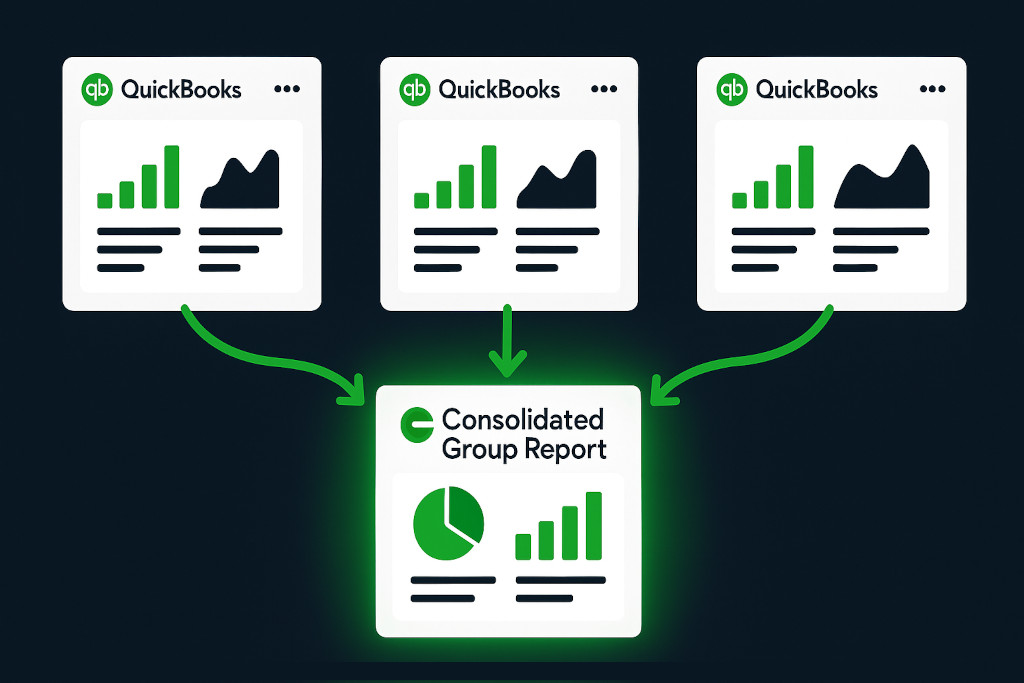
QuickBooks is the accounting platform of choice for tens of millions of businesses worldwide. For managing the books of a single company, it is fast, reliable, and well-supported. But the moment a business grows to include a second legal entity — a subsidiary in another country, a new operating company under a holding structure, a partnership with a separate set of accounts — QuickBooks hits a structural limit that no amount of workarounds can fully resolve: it was not designed to consolidate multiple entities into a single set of group financial statements.
This is not a criticism of QuickBooks. It is simply a description of what the product does and does not do. Understanding that limit clearly — and knowing what purpose-built consolidation software for QuickBooks can do instead — is what allows multi-entity finance teams to stop losing days to manual processes and start getting accurate group financials in hours.
How QuickBooks Handles Multiple Entities Today
QuickBooks Online and QuickBooks Desktop both allow you to manage multiple company files under a single account or subscription. In QuickBooks Online Advanced, you can switch between companies from a unified dashboard. This gives you visibility across organisations — but visibility is not consolidation.
Multi-entity QuickBooks consolidation, done for you.
Connect all your QuickBooks companies and get consolidated financials instantly.
Each QuickBooks company file is entirely separate. There is no mechanism in QuickBooks that combines the trial balances of two or more files, applies intercompany eliminations, translates foreign currency balances, or produces a single set of P&L, Balance Sheet, and Cash Flow statements that represents the group as a whole. When finance teams need consolidated financials, they are left to build that process themselves — and almost without exception, that means a spreadsheet.
💡 The core gap: QuickBooks gives you access to multiple sets of books. Consolidation software for QuickBooks bridges those books — eliminating intercompany flows, converting currencies, and producing a single group view that QuickBooks itself cannot generate.
What QuickBooks Cannot Do for Group Consolidation
For a multi-entity group using QuickBooks, here are the specific gaps that emerge at each stage of the consolidation process:
No Consolidated Financial Statements
QuickBooks reports are entity-level by design. There is no built-in report that aggregates revenue, cost, assets, liabilities, or equity across multiple company files into a single coherent statement. A group P&L requires exporting data from each entity separately and combining it externally.
No Intercompany Elimination
When Entity A charges a management fee to Entity B, that transaction creates revenue in one set of books and an expense in the other. At a group level, both sides of that transaction must be eliminated — otherwise the consolidated P&L overstates both revenue and costs, and the Balance Sheet shows receivables and payables that do not exist from the group’s perspective. QuickBooks does not identify or eliminate intercompany transactions. Every elimination must be tracked and applied manually.
No Multi-Currency Consolidation
QuickBooks Online does support multi-currency at the entity level — transactions can be recorded in foreign currencies. But it does not translate an entire entity’s financial statements from its functional currency into a group presentation currency, nor does it calculate the cumulative translation adjustment (CTA) that IFRS and US GAAP require when consolidating foreign operations. A group with subsidiaries in the US, UK, and Australia — each running separate QuickBooks files in different currencies — cannot produce a currency-translated group Balance Sheet from QuickBooks alone.
No Non-Controlling Interest Calculation
When a parent company owns less than 100% of a subsidiary, the minority shareholders’ interest must be identified separately in the consolidated financial statements. This non-controlling interest (NCI) calculation requires knowing ownership percentages, applying them to the subsidiary’s net assets and profit, and presenting the results correctly in both the consolidated income statement and Balance Sheet. QuickBooks has no NCI functionality.
No Audit Trail for Consolidation Adjustments
Any manual consolidation adjustments made outside of QuickBooks — in a spreadsheet — leave no traceable record inside the accounting system. When auditors ask why a particular balance changed between the subsidiary trial balance and the consolidated statements, the answer lives in a spreadsheet that may be months old, maintained by someone who has since left the team.
The Real Cost of the Spreadsheet Workaround
Most QuickBooks multi-entity groups fill the consolidation gap with Excel. The process is familiar: export a trial balance from each QuickBooks file, paste the data into a master workbook, manually map accounts to a common structure, enter eliminations, apply exchange rates, and build summary financials from formulas. Done carefully, this produces a usable result — the first time.
The problem is that this process must be repeated every month, and it compounds in complexity as the group grows. Each additional entity adds another export, another mapping exercise, another round of intercompany reconciliation. Each currency adds another set of rate lookups and translation calculations. A group with four entities in three currencies, with regular intercompany transactions, can easily consume a week of finance team time per month on the consolidation alone.
Beyond the time cost, there is the accuracy problem. Spreadsheet consolidations break silently. A formula error in a SUMIF, a stale exchange rate, a missed elimination — none of these produce an obvious error message. They produce a set of numbers that looks correct until someone finds the problem, often at the worst possible moment: during an audit, before a board meeting, or when a bank requests reviewed financials.
What Purpose-Built Consolidation Software for QuickBooks Does Instead
Consolidation software designed to work with QuickBooks replaces the spreadsheet layer with a structured, automated process that connects directly to each QuickBooks file and handles the consolidation mechanics automatically. Here is what that looks like in practice with BrizoConsol:
Direct QuickBooks API Connection
BrizoConsol connects to each of your QuickBooks Online company files via the QuickBooks API. There are no CSV exports, no manual data transfers. Financial data pulls automatically on a defined schedule, so your consolidated view reflects current data rather than whatever was exported last week. When an entity updates a transaction in QuickBooks, the change flows through to the consolidated view without any manual intervention.
Automated Intercompany Eliminations
BrizoConsol’s elimination engine identifies intercompany transactions across connected QuickBooks entities and eliminates them from the consolidated view. When charts of accounts are aligned across entities, the matching happens automatically. For recurring intercompany flows — management fees, shared services charges, intercompany loans — elimination rules can be configured once and applied every period without manual setup. Every elimination is logged with a full audit trail, so the reasoning behind each entry is traceable and reviewable.
Multi-Currency Translation with CTA
For groups with QuickBooks entities operating in different currencies, BrizoConsol translates each entity’s financial statements into the group presentation currency using the correct methodology — closing rate for balance sheet items, average rate for income statement items, historical rate for equity. The cumulative translation adjustment is calculated automatically and presented correctly in the consolidated equity section, in line with IFRS and US GAAP requirements. There are no manual exchange rate worksheets to maintain.
Consolidated Reports on Demand
Once the QuickBooks connections are established and the consolidation configuration is set up, BrizoConsol produces consolidated P&L, Balance Sheet, and Cash Flow statements whenever they are needed. Reports update automatically as underlying QuickBooks data changes. For boards, investors, or lenders who need regular group financials, BrizoConsol’s Insight Package feature can schedule and deliver those reports automatically — no manual export or formatting required.
Mixed Accounting System Groups
One scenario that comes up frequently in practice is a group where not every entity runs QuickBooks. The parent company might use QuickBooks Online while one subsidiary uses Xero and another uses MYOB. In a spreadsheet consolidation, this means maintaining separate export processes for each platform, often with different data structures that require additional mapping work each month.
BrizoConsol connects natively to Xero, QuickBooks, MYOB, and Zoho Books within the same consolidation group. A group with three QuickBooks entities and one Xero subsidiary can be consolidated in a single workspace, with all four entities feeding into the same consolidated output. The platform normalises the data from each source into a consistent structure, so the consolidation process does not change based on which accounting system an entity uses.
What to Expect When Setting Up QuickBooks Consolidation
For finance teams moving from a spreadsheet consolidation to purpose-built software, the setup process with BrizoConsol is straightforward. Authorising the QuickBooks API connection for each entity takes a few minutes per company file. BrizoConsol’s AI Auto-Map feature analyses each entity’s chart of accounts and suggests mappings to a common group structure — reducing the most time-consuming part of the initial setup to a review exercise rather than a build exercise. Intercompany relationships and elimination rules are configured once and remembered for subsequent periods.
For groups that have been managing consolidation in spreadsheets for some time, there is also value in the clarity that a structured platform provides. When all the consolidation logic is held in a configured system rather than distributed across spreadsheet files, it becomes much easier to understand what the consolidated numbers represent, to trace any figure back to its source, and to onboard a new team member without having to hand over and explain a collection of complex workbooks.