Home
Product
How It Works Security AI in BrizoConsol Built on BRIZO
Features
CTA / FCTR NCI Intercompany Eliminations Step Acquisitions / Partial Disposals Multi-Accounting Standards All Features
Integrations
Xero QuickBooks MYOB Zoho Books Excel Import Other Accounting Software
Solutions
For Accountants CFOs / Finance Leaders Business Owners Multi-Entity Consolidation Group Reporting Multi-Currency Consolidation Board Reporting Management Reporting Pricing See It in Action
Resources
Documentation Tutorials Month-End Guide BRIZO Methodology Webinar Blog
Login Start Free Trial

Consolidation Done Right — Including
CTA / FCTR.

BrizoConsol calculates CTA/FCTR automatically with historical rates by account, retained earnings roll-forward, and monthly journals.

CTA — Calculated Automatically● Reconciled
Rate Applied By Account
Fixed AssetsHistorical Rate
Revenue / ExpensesAverage Rate
Monetary ItemsClosing Rate
Retained EarningsRoll-forward ✓
Monthly
Journal Posted
Auto-Calculated
Reconciled
CTA Is More Than One Closing Rate

Getting CTA right means applying different rates to different account types and rolling retained earnings forward correctly by year.

One closing rate for the whole entity

One rate applied to all accounts — ignoring different treatment required for fixed assets, equity, and P&L items.

Single retained earnings override

Whole retained earnings balance at one rate — not rolled forward correctly year by year.

Equity, reserves, prior-year earnings collapsed

No distinction between share capital, reserves, and prior-year retained earnings — each requires a different rate treatment.

Year-end adjustment only

CTA is only corrected at year-end — the balance is inaccurate for 11 months of the year.

Historical rates by account

Each account type translated at the correct rate — acquisition, closing, or average as required.

Retained earnings roll-forward by year

Carried forward year by year at each period's correct closing rate — opening balances always accurate.

Each equity component treated separately

Share capital, reserves, and retained earnings each translated at the correct rate for each period.

Monthly journal — every period

CTA journal posted every month. Your balance is accurate throughout the year — not just at year-end.

Configure Once. CTA Handled Every Period.

Set it up once — BrizoConsol posts CTA journals automatically every month. No manual entries, no spreadsheets.

  • Configure your CTA reserve account once in group settings
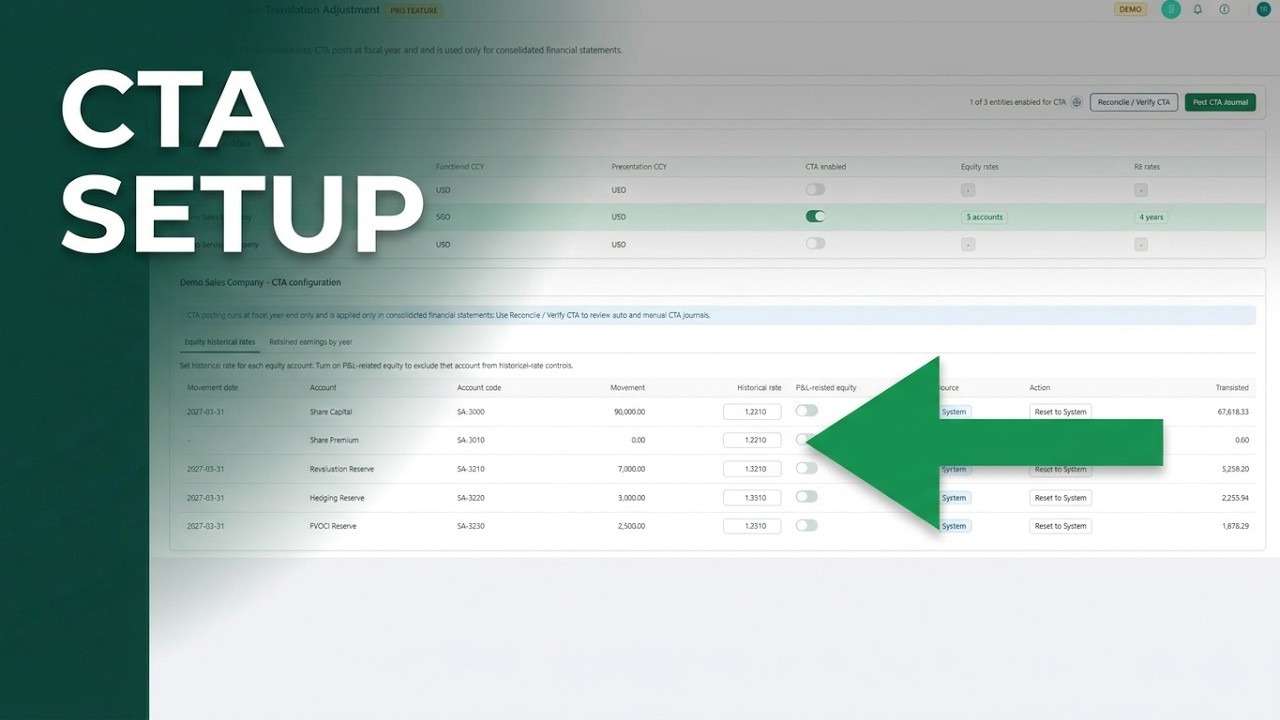
  • Set equity historical rates and retained earnings rates per entity
  • CTA journal posted automatically every month — not just at year-end
  • Dedicated Reconcile / Verify view — confirm all CTA journals are balanced before sign-off
CTA Setup — Subsidiary Entities
Entity Functional Group CTA
SG HoldCoSGDSGDN/A
AU SubAUDSGDEnabled
US SubUSDSGDEnabled
UK SubGBPSGDEnabled
✓ CTA journals posted automatically every month
Full Control Over Every CTA Entry

Complete reconciliation view lets you verify, adjust, and post with confidence every period.

CTA Reconciliation Page

Trace each CTA entry back to its source rate and account. Verify, adjust, and publish with full visibility.

Manual Journal Entries

Post manual entries outside automated CTA. All manual journals tracked in reconciliation view.

Built for Groups That Can't Afford to Get CTA Wrong

Accurate CTA is automatic and verifiable every period for audited and investor-backed groups.

Investor & Lender Confidence

Produce accurate CTA automatically so consolidated financials stand up to scrutiny.

Period-End Accuracy — Every Month

CTA calculated and journalled every month, not just at year-end.

Full Traceability

Every CTA entry traces back to its source rate. Complete audit trail every period.

CTA Setup — See How It Works

Watch how to configure historical rates, set up retained earnings, post CTA journals, and verify your translation reserve — all in one short walkthrough.

30 sec
CTA Setup — See How It Works
Tutorial

CTA Setup — See How It Works

Watch how to configure historical rates, set up retained earnings, post CTA journals, and verify your translation reserve — all in one short walkthrough.

More Videos
Want to see how CTA is calculated? Try the free CTA Calculator →
$35 / entity / month

Included in every Pro subscription. No add-ons, no extra fees.

Start Free Trial View Pricing
✓ No credit card required ✓ Full access for 30 days ✓ Includes all Pro features

Also in Pro: Accounting Standards →

Common Questions About CTA

What is a Currency Translation Adjustment (CTA)?
A CTA is the difference that arises when a foreign subsidiary's statements are translated into the group's presentation currency. Because different rates apply to different account types, the balance sheet will not balance without a CTA entry to absorb the difference. Under IAS 21, CTA is recognised in Other Comprehensive Income (OCI).
Which exchange rates does BrizoConsol apply to which accounts?
BrizoConsol applies the correct rate by account type: closing rate for monetary balance sheet items (cash, receivables, payables), average rate for P&L items (revenue and expenses), and historical rates for non-monetary items (fixed assets, share capital, reserves). Retained earnings are rolled forward year by year at each period's correct closing rate.
How does BrizoConsol handle retained earnings translation?
BrizoConsol rolls retained earnings forward period by period — each year's retained earnings balance is carried at the closing rate applicable to that year. This avoids the common error of applying a single rate to the entire retained earnings balance, which produces an incorrect CTA.
Do I need to manually enter exchange rates each period?
Yes — you enter the period-end closing rate and average rate for each foreign entity each period. BrizoConsol then applies those rates automatically to the correct accounts and posts the CTA journal. Historical rates for fixed assets and equity are set once and carried forward.
Is CTA included in all BrizoConsol plans?
CTA is available on the Pro plan at $35 per entity per month. It is not available on the Standard plan. The Pro plan includes automatic monthly CTA journal posting, the reconciliation view, and a full audit trail.
Get CTA Right — Every Period.

Historical rates by account, retained earnings roll-forward, monthly journals, and a full reconciliation view. Produced automatically, verifiable every period.

Start Free Trial See It in Action
No credit card required