Xero Consolidation Software for Accounting Firms: Scaling Group Reporting Across Multiple Clients
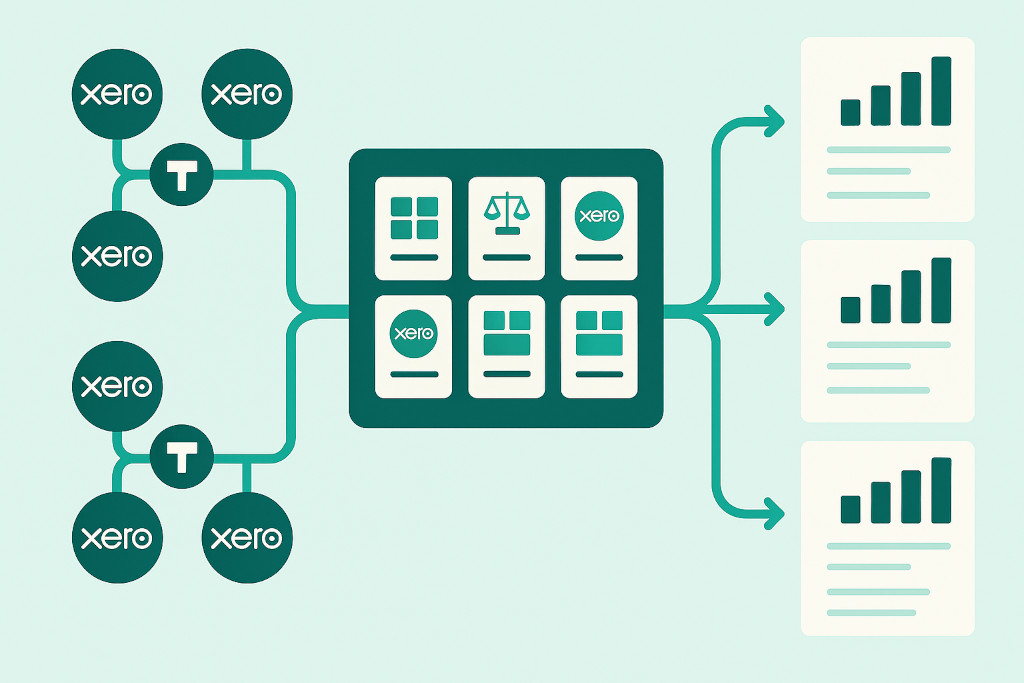
Most accounting firms with a multi-entity client base have quietly arrived at the same conclusion: the manual consolidation process does not scale. What works for one group client — even if it takes two days — becomes genuinely unsustainable when there are five group clients, or ten, each with their own Xero organisations, intercompany structures, and reporting deadlines. The firms that are growing their multi-entity practice the fastest are not working harder. They are using Xero consolidation software to build a repeatable, scalable workflow that delivers group accounts across their entire client portfolio without rebuilding the process from scratch for each engagement.
The Problem with Client-by-Client Consolidation

The default approach to multi-entity client work in most accounting firms is essentially bespoke: each group client has its own consolidation spreadsheet, built by whoever took on the engagement, structured around the specific idiosyncrasies of that client’s Xero setup. When it works, it works. When the person who built it leaves, or when the client adds a new entity, or when a currency is introduced, it becomes a problem that falls to whoever inherits it.
This client-by-client approach has several compounding costs that become more visible as the practice grows:
Consolidate your Xero entities — automatically.
BrizoConsol pulls from all your Xero organisations and delivers group reports in minutes.
- No shared infrastructure. Time spent building a consolidation model for Client A produces nothing reusable for Client B. Every new engagement starts from zero.
- Key-person dependency. The accountant who built the spreadsheet is the only one who understands it. Delegation is difficult; quality assurance is harder.
- Manual data collection each month. Exporting trial balances from each Xero organisation, importing them into the spreadsheet, and updating the elimination journals is time that cannot be billed at the same rate as analysis or advisory work.
- Inconsistent output quality. Without a standardised process, the quality of consolidated accounts varies between clients and between periods. Some months everything is right; others, something is missed.
- No capacity to grow. A practice managing five group clients manually is already at or near capacity for the team handling it. Adding a sixth means either hiring or dropping something else.
Xero consolidation software addresses all of these problems by replacing the client-by-client spreadsheet model with a single platform that handles the consolidation workflow for every client through a consistent, automated process.
How Xero Consolidation Software Changes the Practice Model
When an accounting firm adopts BrizoConsol as its xero consolidation software platform, the relationship between effort and client volume changes fundamentally. Instead of each client requiring a proportional share of manual consolidation work, the platform handles the data collection, mapping, elimination, and report generation for all clients through the same structured workflow. The accountant’s role shifts from doing the consolidation to reviewing and confirming the consolidation — a much faster and more scalable activity.
One Platform, Multiple Client Groups
BrizoConsol supports multiple group structures within a single account. Each client group is configured separately — its own Xero organisations, its own chart of accounts mapping, its own elimination rules — but all within the same platform environment. An accountant managing six group clients can move between them from a single dashboard, rather than opening six different spreadsheet files.
This also means that practice-level visibility becomes possible for the first time. A practice manager can see which client consolidations are complete, which have outstanding intercompany mismatches, and which reports have been delivered — across the entire portfolio, not just the one file currently open on screen.
Onboarding New Clients Efficiently
The first time a firm onboards a new group client onto a consolidation platform, it takes a meaningful investment of time: connecting each Xero organisation, mapping the chart of accounts, and configuring the intercompany elimination rules. BrizoConsol’s AI Auto-Map feature reduces the chart of accounts mapping step significantly by suggesting mappings based on account names automatically. For a typical Xero-based client group, the initial setup can be completed in a day or two rather than the week or more that building a custom spreadsheet model would require.
Critically, that investment compounds. Once a client is set up, the monthly consolidation runs on the configured infrastructure. Adding a new entity to an existing client group means connecting it to BrizoConsol and mapping its chart of accounts — not rebuilding the entire model. And the knowledge encoded in the platform (the elimination rules, the account mappings, the group structure) is preserved regardless of staff changes on the engagement.
Consistent Quality Across the Portfolio
Because every client consolidation runs through the same platform with the same process — API sync, auto-elimination, mismatch review, report generation — the quality of the output is consistent. There is no version of the consolidation that is better or worse depending on who prepared it. The elimination logic is the same for every client. The currency translation methodology is the same. The audit trail is complete for every engagement.
This consistency matters for quality assurance within the practice. A partner reviewing consolidated accounts for a client can trust that the underlying process followed the same steps as every other client, because it did. Exceptions are flagged by the platform, not discovered in a post-delivery review.
“The firms building the most scalable multi-entity practice are not the ones with the best spreadsheet builders. They are the ones that stopped building spreadsheets and built a process instead.”
The Monthly Workflow for a Multi-Client Practice
In a practice using BrizoConsol as its xero consolidation software, the monthly reporting cycle across a portfolio of group clients looks something like this.
At the start of each reporting cycle, the accountant triggers a data sync across all active client groups. BrizoConsol pulls the latest trial balances from every connected Xero organisation via API — simultaneously, across all clients — and updates the consolidation environment for each group. For a practice with eight group clients, each with three or four Xero organisations, this process that previously required eight separate sets of manual exports and imports is completed in minutes.
The accountant then works through each client’s consolidation review: confirming that intercompany eliminations have run correctly, investigating any flagged mismatches, and posting any manual consolidation adjustments required. The platform presents each client’s elimination register clearly, so the review is focused on exceptions rather than verification of the entire process.
Once the consolidation is finalised for a client, report delivery is handled through BrizoConsol’s Insight Package feature. Each client’s report package — defined once, delivered automatically — is generated from the finalised consolidation data and sent to the designated recipients without any manual export or email assembly required. For practices that deliver consolidated management accounts to boards or investors on a monthly schedule, this automation alone is a significant time saving across the portfolio.
Delivering Reports at Scale: The Insight Package Workflow
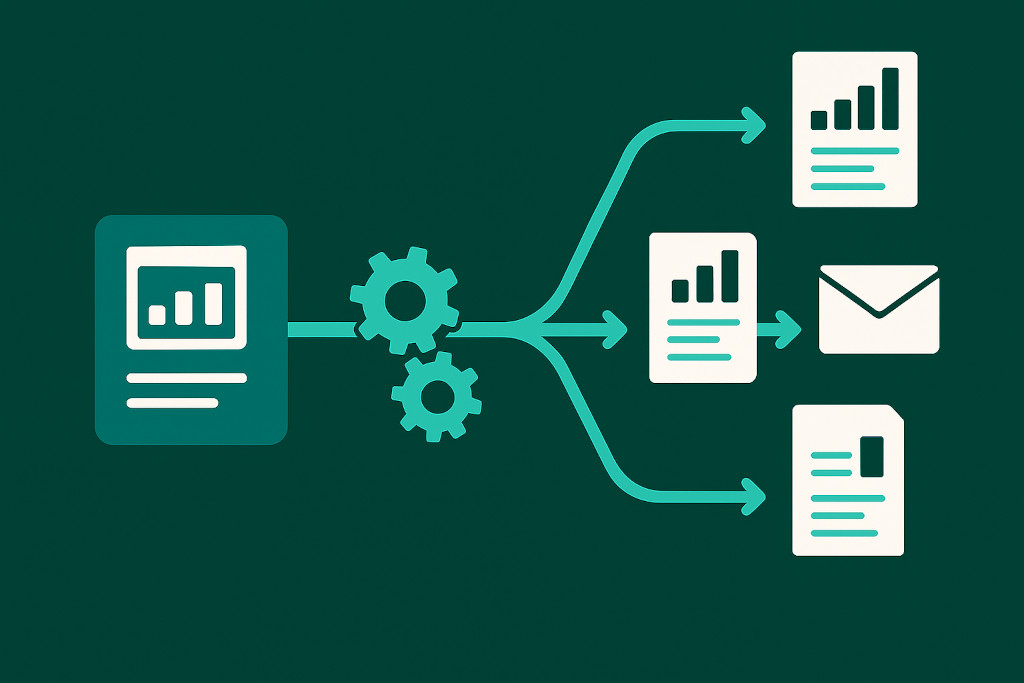
The Insight Package feature in BrizoConsol allows an accounting firm to define each client’s report deliverable once — which statements it includes, which entities and periods it covers, and which recipients should receive it — and then generate and deliver that package automatically at each reporting cycle.
For a practice managing ten group clients with monthly reporting obligations, this means ten report packages are generated and delivered without any manual intervention once the consolidations are finalised. The accountant does not need to open each client’s report, export it to PDF, and send it by email. The platform handles distribution automatically.
This is also where the practice’s relationship with its multi-entity clients changes in a meaningful way. When group reporting is automated and reliable, it creates capacity for the kind of advisory conversation that adds real value — discussing what the consolidated numbers mean, how the group’s performance compares to plan, and where management should be focusing attention. The time that was previously spent assembling the report is redirected to analysing it.
What to Look for When Choosing Xero Consolidation Software for Your Practice
For accounting firms evaluating xero consolidation software options, a few criteria are particularly relevant from a practice management perspective:
- Multi-client support within a single account. The platform should allow multiple group structures to be managed under one firm login, not require a separate account for each client.
- Direct Xero API integration. The connection to each Xero organisation should be live and automatic — not dependent on manual CSV exports that create data lag and version risk.
- Configurable elimination rules per client. Each client group has its own intercompany structure. The platform needs to support client-specific elimination configurations, not a one-size-fits-all approach.
- Automated report delivery. For practices with regular reporting obligations across a client portfolio, the ability to generate and distribute reports automatically at each cycle is essential for keeping the workflow manageable.
- Audit trail per engagement. Each client’s consolidation should have a complete, reviewable record of every adjustment — for quality assurance within the practice and for external audit purposes.
- Mixed-platform support. Some client groups will include entities on QuickBooks, MYOB, or Zoho Books alongside Xero. The consolidation software should handle these connections without requiring all entities to migrate to Xero.
Building a Scalable Multi-Entity Practice
The practices that are building genuinely scalable multi-entity group reporting services are doing so on the foundation of a platform, not a collection of client-specific spreadsheets. The investment in setting up the platform and onboarding the first clients pays back quickly — typically within the first reporting cycle after setup, when the time saving in data collection and report delivery alone is visible. And as the portfolio grows, the marginal cost of adding each additional group client falls, because the infrastructure is already in place.
For accounting firms that want to offer multi-entity group reporting as a reliable, profitable service rather than a labour-intensive exception, Xero consolidation software is not a tool to consider alongside the spreadsheet model. It is the replacement for it.