Controlling Who Sees What in Group Reporting: A Finance Leader’s Guide to Role-Based Access

When a finance team grows beyond a single entity, the question of access control becomes surprisingly complex. Who should be able to see the group’s consolidated balance sheet? Should an entity-level bookkeeper in one subsidiary have visibility into the results of another? Can an external auditor review the trial balance without risking accidental edits to live data?
These are not abstract security questions. They are practical operational decisions that affect the accuracy of your consolidated financials, the speed of your close process, and your ability to meet audit and compliance requirements.
This guide walks through how finance leaders at multi-entity groups can think about access control in group reporting, what common configurations look like in practice, and how BrizoConsol gives teams the tools they need to assign the right level of visibility and control to every person in the reporting workflow.
Stop building consolidations in spreadsheets.
BrizoConsol automates multi-entity consolidation — setup in minutes, reports the same day.
Why Access Control Matters More as Your Group Grows
In a single-entity business, access control is usually straightforward. The owner, the accountant, and perhaps one or two finance team members all have access to the same accounting software, and the risk of unauthorised changes or data leakage is relatively low.
As soon as a business expands to include multiple subsidiaries, holding structures, or joint ventures, the picture changes entirely. Entity-level finance managers need to close their own books but should not be allowed to adjust consolidation-level journals. External accounting firms prepare consolidated financials but should not be able to modify underlying entity data. Board members review the group’s financial position monthly but have no need for editing rights of any kind.
Each of these people represents a different use case, and each requires a different level of access. Applying the wrong level — whether too broad or too narrow — creates problems. Too much access increases the risk of accidental or unauthorised changes to sensitive financial data. Too little access creates bottlenecks, forces unnecessary workarounds, and slows down the close process for everyone involved.
Well-structured role-based access solves both problems by matching every user’s permissions precisely to the work they are actually responsible for.
The Core Roles in a Multi-Entity Finance Team
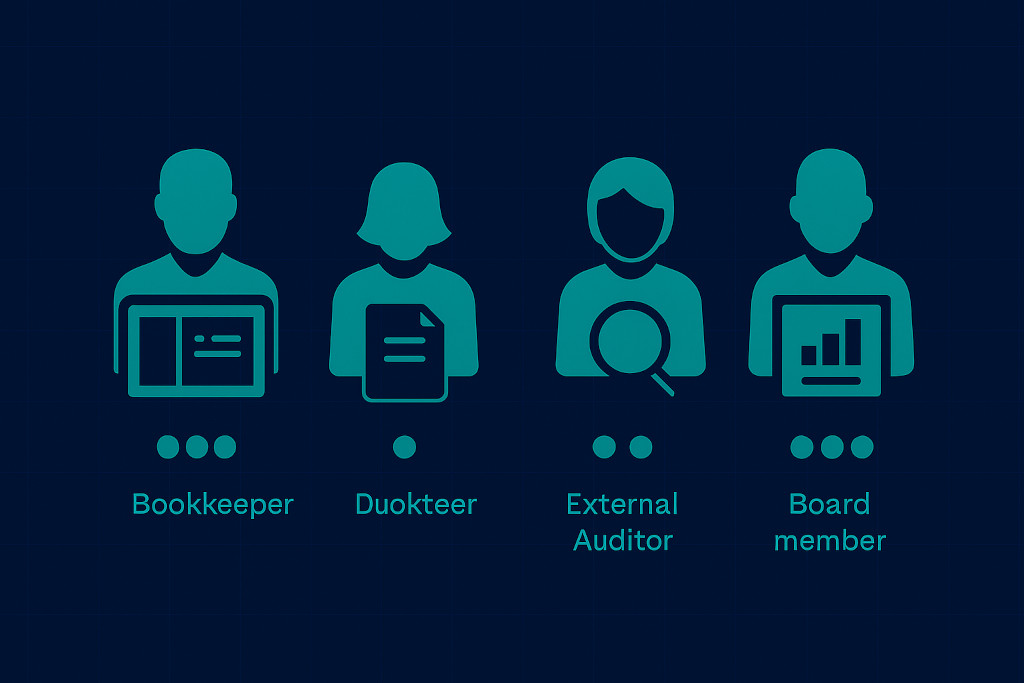
Here are all eight.
1. Intro — Paragraph Breaks
Replace the current single paragraph with:
When a finance team grows beyond a single entity, the question of access control becomes surprisingly complex. Who should be able to see the group’s consolidated balance sheet? Should an entity-level bookkeeper in one subsidiary have visibility into the results of another? Can an external auditor review the trial balance without risking accidental edits to live data?
These are not abstract security questions. They are practical operational decisions that affect the accuracy of your consolidated financials, the speed of your close process, and your ability to meet audit and compliance requirements.
This guide walks through how finance leaders at multi-entity groups can think about access control in group reporting, what common configurations look like in practice, and how BrizoConsol gives teams the tools they need to assign the right level of visibility and control to every person in the reporting workflow.
2. “Why Access Control Matters More as Your Group Grows” — Paragraph Breaks
Replace the current single paragraph with:
In a single-entity business, access control is usually straightforward. The owner, the accountant, and perhaps one or two finance team members all have access to the same accounting software, and the risk of unauthorised changes or data leakage is relatively low.
As soon as a business expands to include multiple subsidiaries, holding structures, or joint ventures, the picture changes entirely. Entity-level finance managers need to close their own books but should not be allowed to adjust consolidation-level journals. External accounting firms prepare consolidated financials but should not be able to modify underlying entity data. Board members review the group’s financial position monthly but have no need for editing rights of any kind.
Each of these people represents a different use case, and each requires a different level of access. Applying the wrong level — whether too broad or too narrow — creates problems. Too much access increases the risk of accidental or unauthorised changes to sensitive financial data. Too little access creates bottlenecks, forces unnecessary workarounds, and slows down the close process for everyone involved.
Well-structured role-based access solves both problems by matching every user’s permissions precisely to the work they are actually responsible for.
3. “The Core Roles in a Multi-Entity Finance Team” — Roles Table
Replace the entire single paragraph with:
Most multi-entity groups have four distinct types of users in their financial reporting workflow. Understanding how each interacts with consolidated data is the starting point for designing a sensible access model.
| Role | What they need access to | What they should not access |
|---|---|---|
| Group CFO / Group Finance Manager | Full consolidated view across all entities and periods; ability to post consolidation adjustments, approve eliminations, manage entity settings, invite users, and control report publishing | No restrictions — administrator level |
| Entity Finance Manager / Bookkeeper | Trial balance upload, entity-level reports, and close status for their own subsidiary only | Other entities’ financials; group-level consolidation journals; intercompany elimination rules |
| External Auditor / Accounting Firm | Read-only access to defined reports or trial balance data for a specified period; no editing rights | Any write access; access beyond the defined audit period or scope |
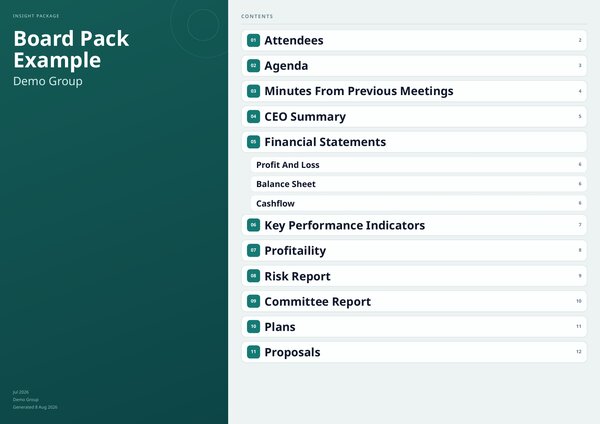
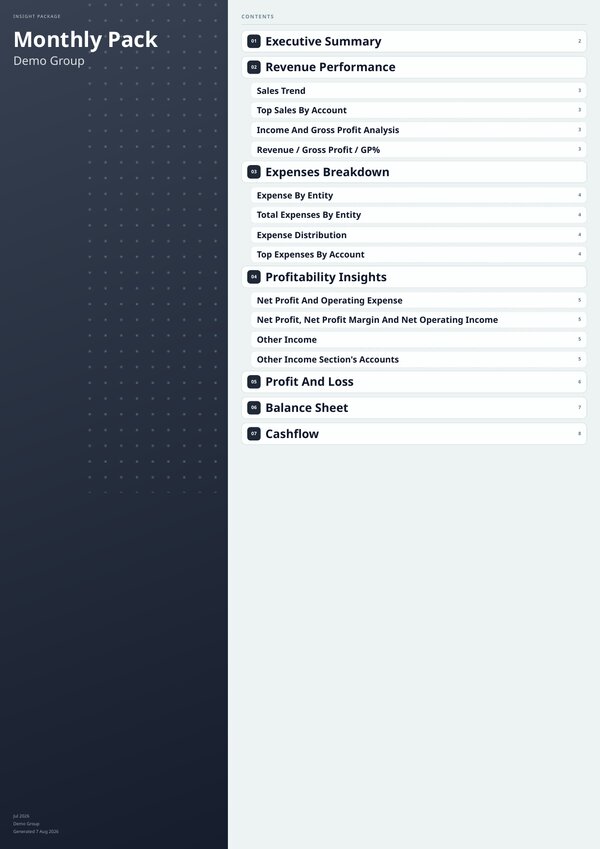
| Board Member / Investor | Finished, formatted reports — monthly board pack, summary income statement — delivered via Insight Package | Trial balance data, entity-level transactions, consolidation workings, platform login |
BrizoConsol’s Insight Package feature addresses the board member use case directly — finance teams publish polished report bundles to specific recipients on a scheduled basis, so board members receive the right information without ever needing to log into the consolidation platform.
How BrizoConsol Structures User Permissions
BrizoConsol is built around the reality that multi-entity finance teams include people with very different relationships to the group’s financial data. Rather than offering a single level of access for all users, the platform allows finance administrators to assign permissions at both the group level and the entity level.
At the group level, administrators can grant or restrict access to the consolidated reporting environment — including the group’s chart of accounts, intercompany elimination rules, consolidation journals, and published group reports. Users granted group-level access can see the full consolidated picture across all entities.
At the entity level, access can be restricted so that a user can only view or edit data belonging to a specific subsidiary or set of subsidiaries. This is particularly useful for entity-level bookkeepers or finance managers who are responsible for their own close but should not have cross-entity visibility.
The result is a permission model that maps cleanly onto the actual organisational structure of the group. When a new entity is added — through acquisition, incorporation, or restructure — the finance administrator assigns the right access to relevant team members without disrupting the permissions of anyone already working in the platform.
Common Permission Mistakes and How to Avoid Them
Even with a well-designed permission model, finance teams fall into a few common traps when managing access in a multi-entity consolidation environment.
1. Giving too many users administrator-level access
It is quicker to set up than granular permissions, but it creates significant governance risk. If a user with administrator access makes an accidental change to a consolidation journal or elimination rule, the error may not surface until after the monthly close is complete and reports have been distributed — at which point the correction requires re-running the consolidation, re-checking eliminations, and republishing affected reports.
The better approach is least privilege: assign the minimum level of access that allows each user to complete their work, and expand permissions only when there is a clear, documented reason to do so.
2. Failing to remove access when people leave or change roles
Stale accounts with broad permissions are a security risk in any system. In a consolidation platform they also create confusion — a future administrator reviewing the audit trail may struggle to distinguish legitimate activity from accidental or unauthorised changes made by an account that should have been deactivated months earlier.
BrizoConsol allows administrators to deactivate user accounts without deleting their history, so you can remove access immediately when someone leaves while maintaining a complete record of any work they contributed.
3. Assuming access control is only relevant for large organisations
Even a group with three or four entities and a small finance team benefits from structured permissions. The moment a second person is involved in the close process — whether that is an external accountant, a part-time bookkeeper, or a business partner reviewing results — access control becomes a necessary part of maintaining the integrity of your consolidated financials.
Access Control as a Governance and Audit Tool
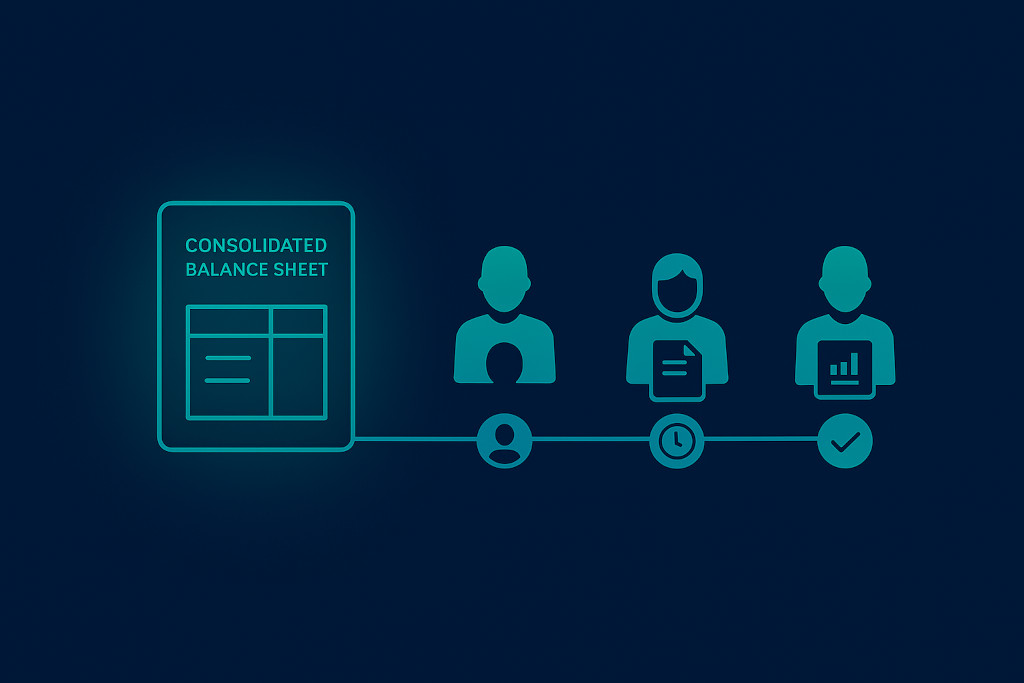
Beyond preventing unauthorised changes, role-based access plays an important role in audit readiness and financial governance. When each action in your consolidation platform can be attributed to a specific user — with a timestamp and a clear record of what was changed — your team is in a much stronger position during an external audit.
Auditors need to understand not just what the final consolidated numbers are, but how they were derived. Who posted the consolidation adjustment that moved a transaction between entities? Who approved the intercompany elimination that removed an intragroup loan from the balance sheet? Who published the final group report presented to the board? In a system without proper access control, these questions are often impossible to answer with confidence.
In BrizoConsol, because every user action is tied to an authenticated account with a defined role, your finance team can provide clear, traceable answers to these questions at any point. This is valuable for internal governance too — particularly in regulated industries, in groups with external investors, or in businesses preparing for a fundraising round or a sale process where detailed financial documentation is expected.
The ability to demonstrate that your consolidated financials were produced through a controlled, documented process — with appropriate separation of duties and a complete audit trail — is increasingly seen as a marker of financial maturity in growing organisations.
Getting Started with Role-Based Access in BrizoConsol
Setting up access control in BrizoConsol does not require a complex implementation project. For most groups, the initial configuration can be completed in a single session by the finance administrator.
1. Map your users before inviting anyone
For each person involved in the consolidation workflow, identify their role in the process, which entities they are responsible for, and what level of visibility they need at the group level. This exercise typically takes an hour but provides the clarity needed to assign permissions correctly from the outset rather than adjusting them reactively after issues arise.
2. Assign permissions and go live
Invite users into BrizoConsol with the access level defined in step one. Entity-level users see only their own subsidiary. Group-level users see the consolidated view. Auditors and board members receive read-only or Insight Package access only.
3. Review quarterly
Run a brief access review each quarter to confirm the permission model still reflects the current team structure. People change roles, entities are added or removed, and external engagements end. A quarterly review ensures your access configuration stays aligned with operational reality.
Conclusion: Access Control Is Part of the Close Process, Not an Afterthought
The finance teams that close fastest and produce the most reliable consolidated accounts are not just technically competent — they are operationally disciplined. Access control is part of that discipline. Knowing exactly who can see what, who can change what, and who approved what is not bureaucracy. It is the infrastructure that makes a multi-entity close trustworthy.
With the right permissions in place, your entity-level bookkeepers close their books without seeing things they should not. Your external auditors review what they need to without any risk of accidental changes. Your board members receive formatted reports without logging into a consolidation platform. And your group CFO has a complete, traceable record of every action taken in the period — ready for auditors, investors, or anyone else who asks.