Describe the Report You Need: BrizoConsol’s BrizoBuilder
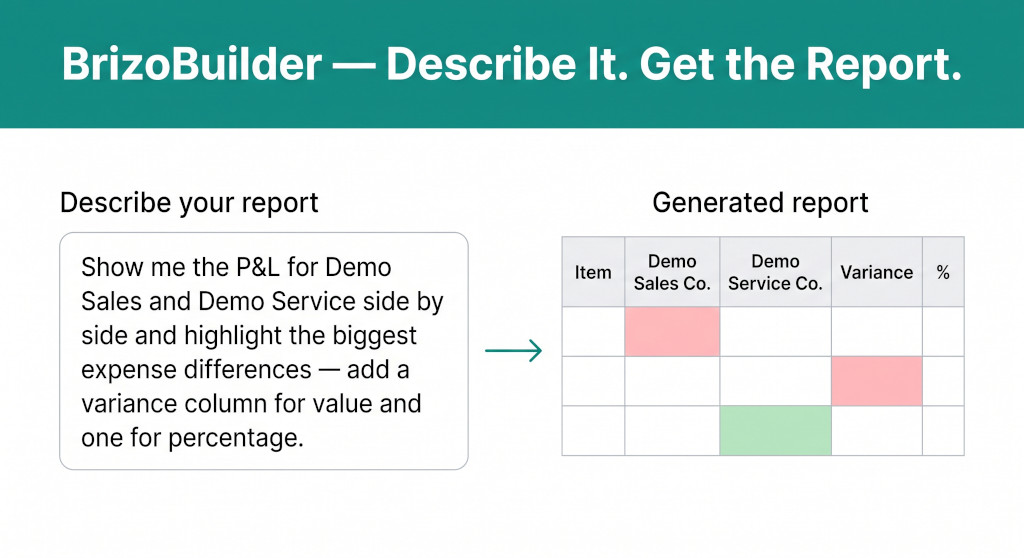
Building a custom group report in a consolidation tool has always meant working within what the tool’s report builder allows. You choose from available columns, arrange them in the order the system permits, and accept whatever layout constraints the report type imposes. If your CFO wants a specific layout — two entities side by side, a variance column, percentage changes, and the five biggest differences highlighted — you end up building it in Excel, manually, after exporting the underlying data.
BrizoBuilder changes the starting point. Instead of configuring a report through menus and column pickers, you describe the report you want in plain English. BrizoBuilder reads the description and creates a cell-based report that matches it — with the correct entity columns, the correct variance formulas, and conditional formatting applied automatically. The result is an editable cell-based report that you can refine, export, or drop into an Insight Package.
Three Ways to Create a Custom Report
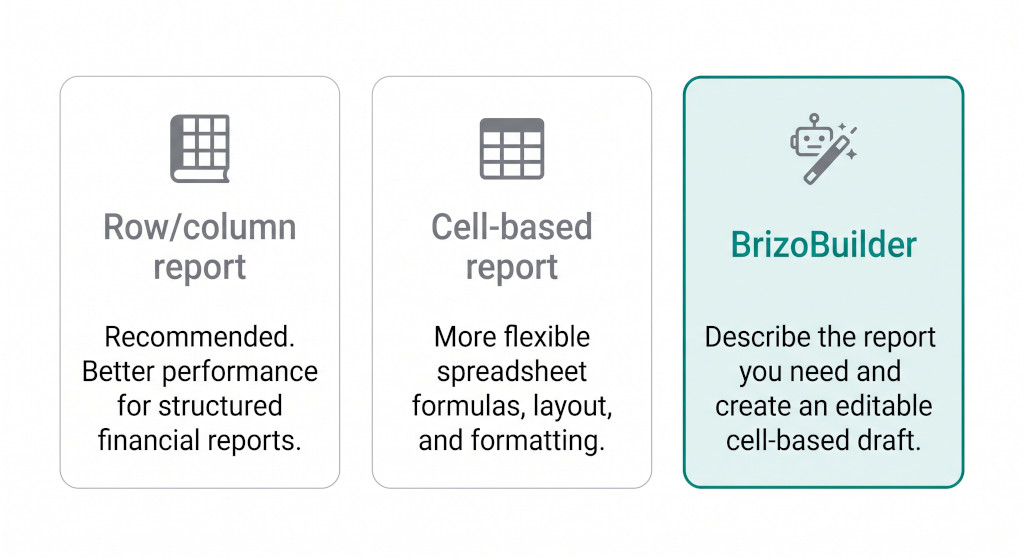
When creating a custom report, BrizoBuilder is one of three report type options available.
Stop building consolidations in spreadsheets.
BrizoConsol automates multi-entity consolidation — setup in minutes, reports the same day.
When you add a new custom report in BrizoConsol, the system asks you to choose a report type. There are three options:
Row/column report
The recommended starting point for structured financial reports. Better performance for standard layouts — P&L, balance sheet, multi-period comparisons — where the row and column structure follows a conventional pattern.
Cell-based report
A blank spreadsheet grid with A1 notation and full Excel formula support. The right choice when you want to build a custom layout from scratch, cell by cell, with complete control over structure and formatting.
BrizoBuilder
Describe the report you need and BrizoBuilder creates an editable cell-based draft. The fastest starting point for a non-standard layout — and the output is a full cell-based report you can edit further once it is generated.
BrizoBuilder is also accessible through BrizoButler, BrizoConsol’s AI assistant. If you are already working in the platform and want to generate a report without navigating to Custom Reports, you can describe it in BrizoButler and it will create the draft from there.
How It Works
-
Choose BrizoBuilder as your report type From the Custom Reports library, click Add a new report and select BrizoBuilder from the report type modal. Alternatively, open BrizoButler and describe the report you want to create.
-
Describe the report in plain English Type a description of what you need — which entities, which data, which periods, and any specific layout or formatting requirements. The more specific you are, the closer the generated report will be to what you want. You can mention specific entities by name, request variance columns, ask for conditional highlighting, or describe what you want to see emphasised.
-
BrizoBuilder creates a cell-based report draft BrizoBuilder reads the description and generates a cell-based report with the appropriate structure. Entity columns, financial data cells, formula cells for variances and percentages, and conditional formatting rules are all set up based on the description. The report opens in edit mode, ready to review and adjust.
-
Refine, save, and use Because the output is a standard cell-based report, every cell is editable. You can adjust formatting, add or remove columns, change data source parameters, or modify formulas — exactly as you would in a report built from scratch. Save when ready, then export to Excel, PDF, or add to an Insight Package.
A Worked Example: P&L Comparison With Conditional Highlighting
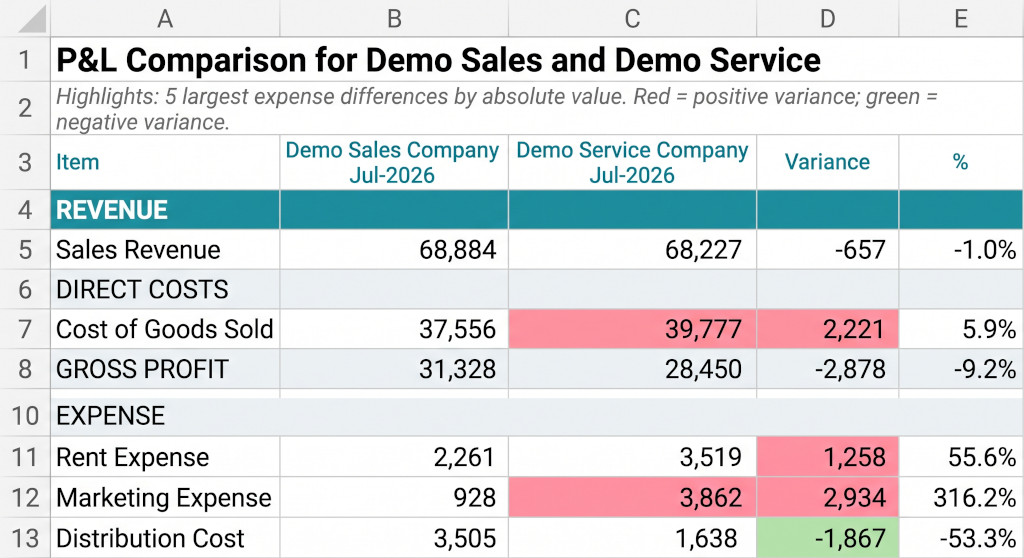
BrizoBuilder output from a single prompt: entity columns, value and percentage variance, and automatic conditional formatting on the five largest expense differences.
The prompt: “Show me the P&L for Demo Sales and Demo Service side by side and highlight the biggest expense differences — add a variance column for value and one for percentage.”
The generated report includes a title row (“P&L Comparison for Demo Sales and Demo Service”), a subtitle explaining the conditional formatting logic (“Highlights: 5 largest expense differences by absolute value. Red = positive variance; green = negative variance.”), and the following column structure:
| Item | Demo Sales Co. Jul-2026 | Demo Service Co. Jul-2026 | Variance | % |
|---|---|---|---|---|
| REVENUE | ||||
| G-4000 · Sales Revenue | 68,884 | 68,227 | −657 | −1.0% |
| DIRECT COSTS | ||||
| G-5000 · Cost of Goods Sold | 37,556 | 39,777 | 2,221 | 5.9% |
| GROSS PROFIT | 31,328 | 28,450 | −2,878 | −9.2% |
| EXPENSE | ||||
| G-5110 · Rent Expense | 2,261 | 3,519 | 1,258 | 55.6% |
| G-5130 · Marketing Expense | 928 | 3,862 | 2,934 | 316.2% |
| G-5135 · Distribution Cost | 3,505 | 1,638 | −1,867 | −53.3% |
Everything in this report — the title, the entity columns, the variance formulas, the conditional formatting on the five largest expense differences — was created from a single prompt. The report is immediately usable and fully editable.
What You Can Ask BrizoBuilder to Build
BrizoBuilder works across the full range of data available in BrizoConsol. Below are example prompts across four reporting categories — each one would generate a different report structure automatically.
Profit & Loss
“Show me the P&L for Demo Sales and Demo Service side by side and highlight the biggest expense differences — add a variance column for value and one for percentage.”
“Compare all entities’ EBITDA for this year versus last year and highlight the ones with the biggest deterioration.”
“Show me revenue and gross margin by entity for the last 12 months.”
“Which entities have operating expenses growing faster than revenue?”
“Create a P&L comparison for our three largest entities for 2026.”
“Show me the five largest expense increases this month compared with last month.”
Balance Sheet
“Compare the balance sheets of Entity A and Entity B and highlight significant differences.”
“Which entities have the biggest increase in receivables this quarter?”
“Show me the group balance sheet with entity-level breakdown.”
“Highlight accounts where the balance has changed significantly from last year.”
Cash Flow
“Show me cash flow by entity for the last six months.”
“Which entities generated negative operating cash flow this quarter?”
“Compare EBITDA to operating cash flow by entity.”
Consolidation
“Show me the intercompany balances by entity pair.”
“Which intercompany balances remain unmatched?”
“Give me a summary of the consolidation adjustments this month.”
“Show me the NCI by entity and compare it with last year.”
The Output Is Always an Editable Cell-Based Report
Whatever BrizoBuilder generates is a cell-based report — the same report type you would get if you had built it from scratch using the cell-based report editor. That means every cell has a type (text, formula, financial data, entity information), every formula is visible and editable in the formula bar, and every piece of conditional formatting can be adjusted or removed.
Once the report is saved, it behaves identically to any other cell-based report in BrizoConsol: it can be exported to Excel with formulas preserved, exported to PDF, or added to an Insight Package as a section. The underlying data updates automatically when BrizoConsol refreshes, so the report stays current without any manual intervention.
BrizoBuilder is the fastest way to go from a reporting question to a working report — without building anything manually in Excel.
Your next report starts with a sentence
BrizoBuilder is available now in BrizoConsol. Describe the report your CFO wants — and have it ready before the meeting starts. Start Free Trial