How to Consolidate Multiple Zoho Books Organisations Without Excel
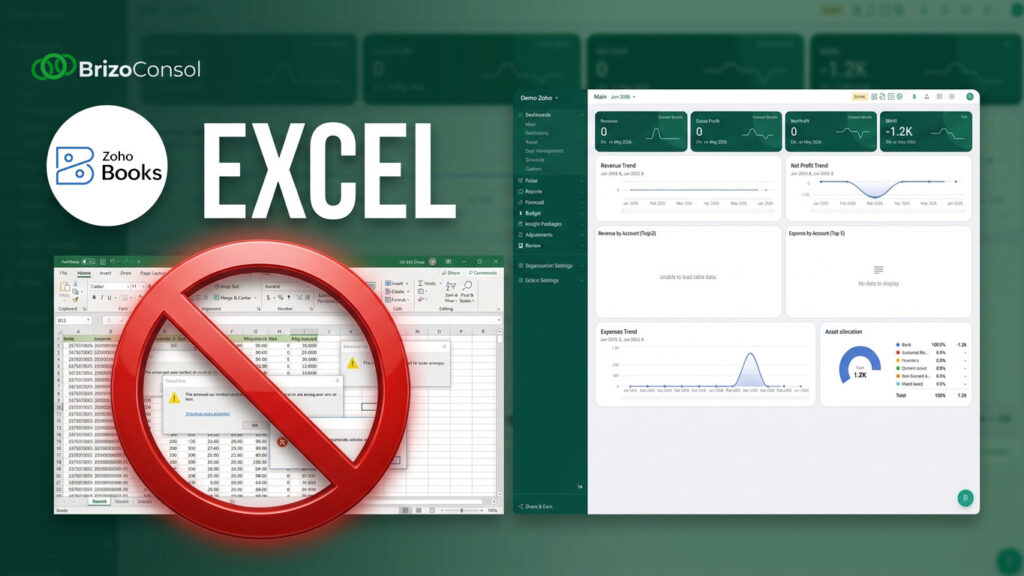
If your group is running multiple Zoho Books accounts and still relying on Excel to pull the numbers together, this article explains why that approach breaks — and what a better process looks like.
The Problem Most Growing Finance Teams Don’t Talk About
Zoho Books is a capable accounting system. It handles invoicing, bank reconciliation, tax reporting, and general ledger management well for individual companies.
But once an organisation grows into a group structure — multiple subsidiaries, regional entities, or recently acquired companies — a problem appears that Zoho Books was never designed to solve.
Group consolidation for Zoho Books — fast and accurate.
Connect your Zoho Books organisations and consolidate into one clean group view.
Group consolidation.
Each entity runs its own Zoho Books account independently. That independence is what makes it work at the entity level. But at the group level, those same independent accounts become a reporting problem.
You end up with:
- A separate Zoho Books account for each entity
- Each account with its own chart of accounts
- Each account in a different currency
- Each account producing its own reports
And no single view of the group.
Why Excel Becomes the Default Solution
When finance teams face this problem, the default response is almost always the same: export everything into Excel and consolidate manually.
The process typically looks like this:
- Export a trial balance from each Zoho Books entity
- Paste the data into an Excel consolidation template
- Manually remap accounts to a common structure
- Convert currencies using separate exchange rate tables
- Check formulas and reconcile differences
- Distribute the finished report to management
For a group with two or three entities, this is manageable — if slow. For groups with four or more entities, or groups operating across multiple currencies, this process becomes a significant monthly burden.
The Three Hidden Costs
Most finance leaders think about manual consolidation in terms of time. But the real costs go further.
Time cost. Depending on the number of entities, a manual Zoho Books consolidation cycle can consume two to five working days every month. That time is spent preparing data, not analysing it.
Error risk. Formula mistakes, incorrect account mappings, and missed intercompany transactions are all common in manual consolidation workflows. The risk compounds with every entity added to the group. Many errors go undetected until late in the process — or not at all.
Dependency risk. In most organisations, the Excel consolidation workbook is understood by one or two people. When those people are unavailable, the process stops. When they leave, the process breaks.
The Real Issue Is Not Zoho Books
It is worth being clear about something: the problem described above is not a Zoho Books problem.
Zoho Books does what it was designed to do — manage the accounting records of a single legal entity, accurately and efficiently. The limitation is not in the software.
The real issue is that multi-entity group reporting requires a different capability: a consolidation layer that sits above the individual accounting systems, pulls data from each one, and transforms it into a single, consistent group view.
Excel can simulate that layer. But it cannot enforce it, audit it, or scale it.
What a Proper Multi-Entity Consolidation Process Should Do
A consolidation process built specifically for multi-entity Zoho Books groups should do four things:
1. Connect directly to each Zoho Books organisation
Rather than exporting files manually, data should flow directly from each entity’s Zoho Books account into the consolidation environment via API. No exports. No reformatting. No human intervention in the data transfer.
This alone eliminates the first two steps of the manual process — and the errors that come with them.
2. Standardise data automatically
Different entities will almost always use different account names in Zoho Books. One entity might record revenue under Sales Revenue. Another might use Turnover. A third might use Service Income.
Rather than remapping these accounts manually every month, the mapping should be configured once — local accounts aligned to a common group chart of accounts — and then applied automatically in every subsequent reporting period.
3. Handle multi-currency translation automatically
For groups operating across countries, currency translation is one of the most time-consuming manual tasks. Exchange rates need to be sourced, applied at the correct dates, and the translation differences need to be recorded correctly.
A proper consolidation system handles this automatically: average rates for income statement items, closing rates for balance sheet items, and translation differences posted to the correct equity reserve.
4. Produce group financial statements immediately
After data has been collected, standardised, and currencies converted, the group financial statements should be available without any further preparation.
That means:
- A consolidated Profit and Loss Statement
- A consolidated Balance Sheet
- An entity-level drill-down when detail is needed
- An intercompany report showing all eliminated balances
No rebuilding. No exporting. No formatting.
How It Works in Practice: A Live Walkthrough
The steps below reflect what we demonstrated in the webinar — from connecting Zoho Books through to reviewing the consolidated result in the dashboard.
Step 1: Connecting Zoho Books Organisations
The first step is linking each Zoho Books account to BrizoConsol. This is done through an authorisation flow — no API credentials need to be copied manually. Each entity’s Zoho Books account is selected and approved, and BrizoConsol begins retrieving the financial data immediately.
Once connected, the entity appears in the consolidation workspace alongside any other entities in the group. The connection is persistent — each subsequent reporting period syncs automatically without any manual action.
Step 2: AI-Assisted Account Mapping to the CCOA
This is where most of the setup effort traditionally sits — and where BrizoConsol significantly reduces the workload.
Once the Zoho Books accounts are connected, BrizoConsol reads each entity’s chart of accounts and presents them alongside the group’s Common Chart of Accounts (CCOA). Rather than requiring the user to map every account manually, BrizoConsol’s AI mapping tool analyses the account names and codes and suggests the appropriate group account for each one.
In practice, the majority of mappings are suggested correctly on the first pass. The user reviews the suggestions, confirms the ones that are accurate, and adjusts any that need correction. The entire mapping process — for a typical Zoho Books entity — takes a fraction of the time it would take to do manually in Excel.
Once confirmed, the mappings are saved and reused automatically in every future reporting period. The mapping work only needs to be done once per entity.
Step 3: Consolidated Data in the Dashboard
With the connections established and account mappings in place, the consolidation runs automatically. The results appear immediately in the BrizoConsol dashboard.
The dashboard presents group financial performance across all connected entities — revenue, gross profit, operating expenses, and net profit — without any further preparation. Users can view the consolidated position for the full group, or switch to an entity-level view to see how individual organisations are contributing.
The underlying financial statements — the consolidated Profit and Loss and Balance Sheet — are available directly from the dashboard and reflect the mapped, translated, and consolidated data from all connected Zoho Books accounts.
There is no export step. No formatting step. No formula checking. The numbers are there.
A practical example: Consider a group with three entities — one in the UAE (AED), one in Singapore (SGD), and one in Saudi Arabia (SAR). Each runs its own Zoho Books account independently. Each has a different chart of accounts. And each has intercompany transactions with the others: management fees, shared service charges, and intercompany loans.
The traditional process for this group might look like:
- Export the trial balance from each of the three Zoho Books accounts
- Convert AED, SGD, and SAR balances into the group reporting currency
- Align the three different charts of accounts into one common structure
- Identify and eliminate intercompany transactions
- Rebuild the group P&L and Balance Sheet from scratch
- Distribute the report — often days after the entity books have closed
The same group, using a purpose-built consolidation platform:
- All three Zoho Books accounts are connected directly
- Account mappings were set up once during implementation
- Currency translation is applied automatically using current rates
- Intercompany elimination rules run on every consolidation
- Group financial statements are available the same day entity books close
The output is identical. The process is not.
How This Changes the Way Finance Teams Work
The shift from manual Excel consolidation to automated group reporting is not just a time-saving exercise. It changes the nature of what a finance team does at month-end.
Before automation, month-end consolidation is a project. The finance team spends the first several days of each close cycle collecting, reformatting, and reconciling data. Analysis — the work that actually helps the business — happens last, when there is little time left.
After automation, month-end consolidation is a review process. The data is already consolidated. The finance team can spend the close cycle looking at the numbers, identifying trends, and communicating results to management. Earlier, with more confidence.
The further implication is that the process is no longer dependent on a single person’s knowledge of the spreadsheet. Any competent team member can run the consolidation. That resilience matters when team members change, or when the finance director is unavailable during close.
Where BrizoConsol Fits
BrizoConsol is built specifically for groups that need to consolidate across multiple accounting systems, including Zoho Books.
It connects directly to each Zoho Books organisation, pulls financial data automatically, applies the account mappings and currency translation rules configured during setup, and produces consolidated financial statements for immediate review.
The goal is straightforward:
From fragmented Zoho Books organisations → to one consolidated financial view.
BrizoConsol is used by accounting firms managing multi-entity client groups, finance teams in regional businesses operating across multiple currencies, and CFOs who need accurate consolidated numbers without the manual overhead.
Answers to Common Questions
How does BrizoConsol handle different charts of accounts?
Account mapping is configured once during setup. Each entity’s Zoho Books accounts are mapped to a common group chart of accounts. From that point, the mapping is applied automatically in every reporting period. You never need to remap accounts manually.
Can we consolidate some entities using Zoho Books and others using Excel?
Yes. BrizoConsol supports direct Zoho Books connections alongside Excel and CSV file uploads. Groups can migrate entity by entity — connecting Zoho Books accounts first and continuing to upload files for entities not yet connected.
How does multi-currency translation work?
Exchange rates are applied automatically. Income statement items are translated at average rates for the period; balance sheet items are translated at closing rates. Currency translation adjustments are calculated and posted automatically to the correct equity balance.
What happens when we add a new entity?
Adding a new entity is straightforward. Connect it to the workspace, map the accounts, and it is included in the next consolidation run. Existing mappings and elimination rules for the other entities do not need to change.
How long does initial setup take?
Most groups complete initial setup within one to two days. Connecting Zoho Books organisations takes minutes. Account mapping for a typical group takes a few hours. Intercompany elimination rules are usually configured in the first working session.
The Question Worth Asking
If your organisation is managing multiple Zoho Books accounts and still consolidating in Excel, there is one question that determines whether it is time to change:
How much time is your team spending on preparing data each month — versus analysing it?
If the answer is more than a day or two, the manual process is costing more than it needs to.
What the Right Process Looks Like
For groups running multiple Zoho Books organisations, the goal is straightforward: consolidated financial statements available the same day the entity books close, without a manual preparation step in between.
That means a direct connection from each Zoho Books account to the consolidation environment, account mappings configured once and applied automatically, currency translation handled at the correct rates, and intercompany balances eliminated without manual journal entries.
BrizoConsol is built to deliver exactly that — for Zoho Books groups of any size, including those that mix Zoho Books with other accounting platforms across different entities.
Ready to see how BrizoConsol handles Zoho Books consolidation?