Stop Reformatting Excel Files Before Consolidation
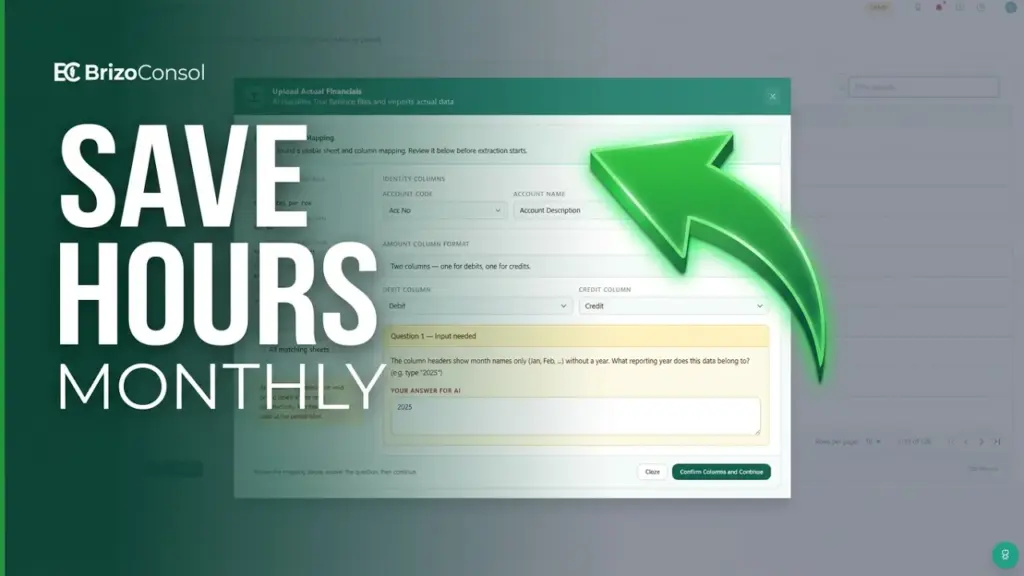
Month-end consolidation shouldn’t start with hours of spreadsheet cleanup. Yet many finance teams spend significant time reformatting trial balances before they can even begin reviewing the numbers — because different subsidiaries submit different Excel formats, forcing group finance teams to standardise files before upload.
Watch the webinar below to see how BrizoConsol handles multiple trial balance formats without requiring extensive spreadsheet rework.
What You’ll Learn
In this webinar, we cover:
Replace your Excel consolidation — for good.
BrizoConsol automates what you've been doing in Excel, faster and without the errors.
- Why Excel reformatting delays month-end close
- Common trial balance formats received from subsidiaries
- How to import different file structures into BrizoConsol
- Ways to reduce manual preparation work before consolidation
- Best practices for reviewing imported financial data
Why Finance Teams Spend Too Much Time Preparing Excel Files
Many consolidation projects begin with a simple assumption: every entity will submit data in the same format.
Unfortunately, reality is rarely that simple.
Different subsidiaries use different accounting systems, reporting structures, and export formats. As a result, group finance teams often receive a mixture of files that require manual preparation before consolidation can begin.
This extra work increases close cycle times and introduces unnecessary risk.
Common Trial Balance Formats Received from Subsidiaries
One of the challenges discussed in the webinar is the variety of file structures that finance teams receive each month. BrizoConsol handles all of the following without requiring manual reformatting:
| Format | What it looks like |
|---|---|
| Monthly trial balance with 12 worksheets | A workbook with a separate tab for each month — common in Xero and QuickBooks exports |
| Cumulative trial balance with 12 months in one worksheet | Year-to-date balances across multiple columns in a single sheet — requires period extraction before most tools can use it |
| Multi-period trial balance | A single file covering several reporting periods — reduces upload volume but requires period identification logic |
| Single YTD trial balance | Cumulative balances as of the reporting date only — no period breakdown included |
| General ledger transaction files | Transaction-level exports used when additional detail and validation are required at import |
| P&L and balance sheet workbooks | Financial statements rather than trial balance exports — submitted by subsidiaries that do not have a trial balance export available |
The Goal: Spend Less Time Fixing Spreadsheets
Finance teams should be focused on validating results, investigating variances, and completing consolidation — not rebuilding Excel files before the consolidation can even begin.
The pre-consolidation reformatting step is not a minor inconvenience. For groups with five or more entities submitting in different formats, it routinely consumes a full day of close time — time spent on data plumbing rather than financial analysis.
By supporting multiple source formats natively, BrizoConsol removes that step. Data comes in as it is exported from each entity’s system; the platform identifies the structure, extracts the relevant periods, and maps to the group chart of accounts. The finance team picks up at the review stage rather than the cleanup stage.