In-App Support Is Here: Raise a Ticket Without Leaving BrizoConsol
In-App Support Is Here: Raise a Ticket Without Leaving BrizoConsol
Getting help just got a lot simpler. BrizoConsol now has a built-in support integration — meaning you can raise a ticket with our team directly from within the platform, without switching to a separate email, hunting for a contact form, or losing context on the issue you’re trying to describe.
If you have a question about your consolidation, need help with a data connection, or spot something that doesn’t look right, the support channel is now one click away — right where you’re working.
How It Works
Open the help menu
Stop building consolidations in spreadsheets.
BrizoConsol automates multi-entity consolidation — setup in minutes, reports the same day.
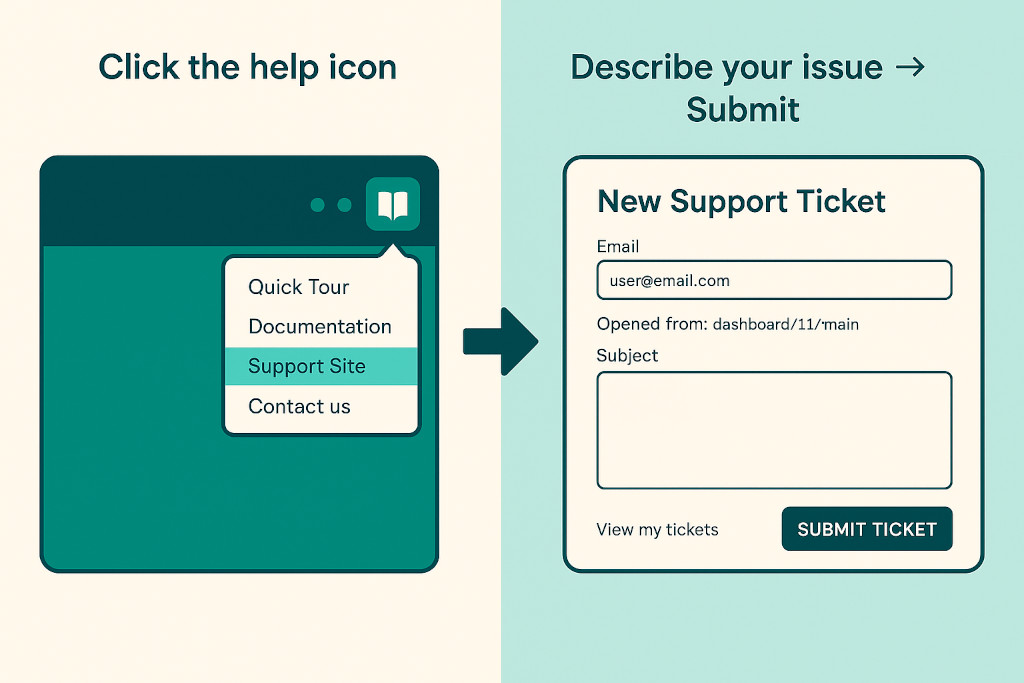
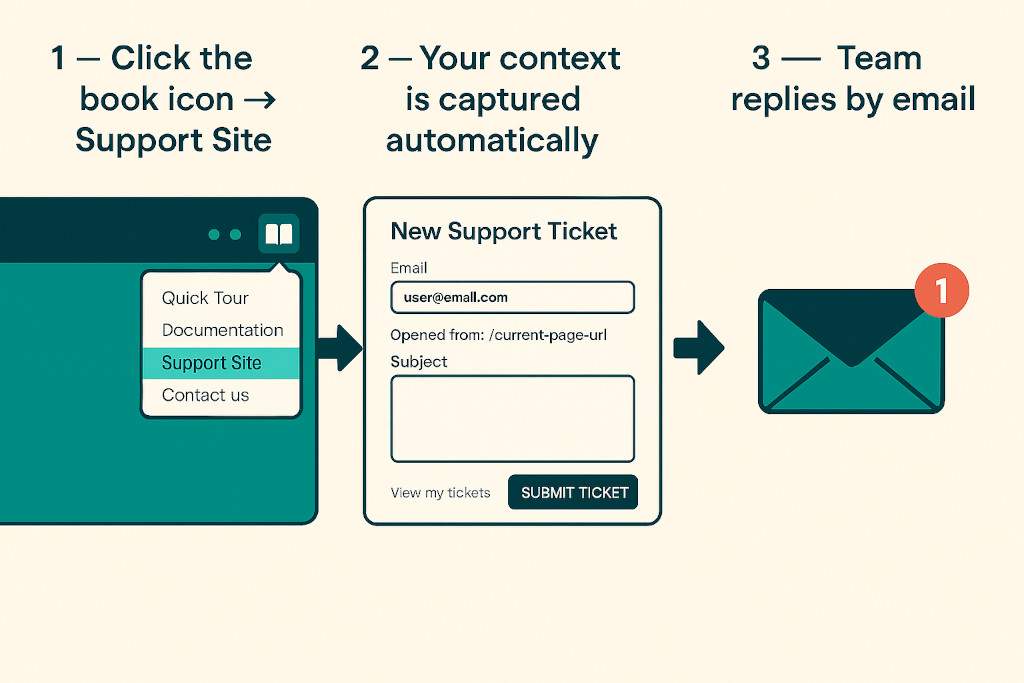
Click the book icon in the top-right navigation bar. A dropdown appears with four options — click Support Site.
Describe the issue
A new page opens at the BrizoConsol support portal. Your account email and the exact page you were on are pre-filled automatically — just add a subject and describe what you need.
Submit & track
Attach up to five files or paste a screenshot directly into the message box. HitSubmit Ticketand the team will follow up by email. Use View my tickets to track your submissions at any time.
That’s it. No separate portal to log into, no email thread to start from scratch, no need to explain which account or entity you’re working with — when you raise a ticket from inside BrizoConsol, the page you came from is captured automatically, so our team already has the context before they read your first word.
What You Can Submit
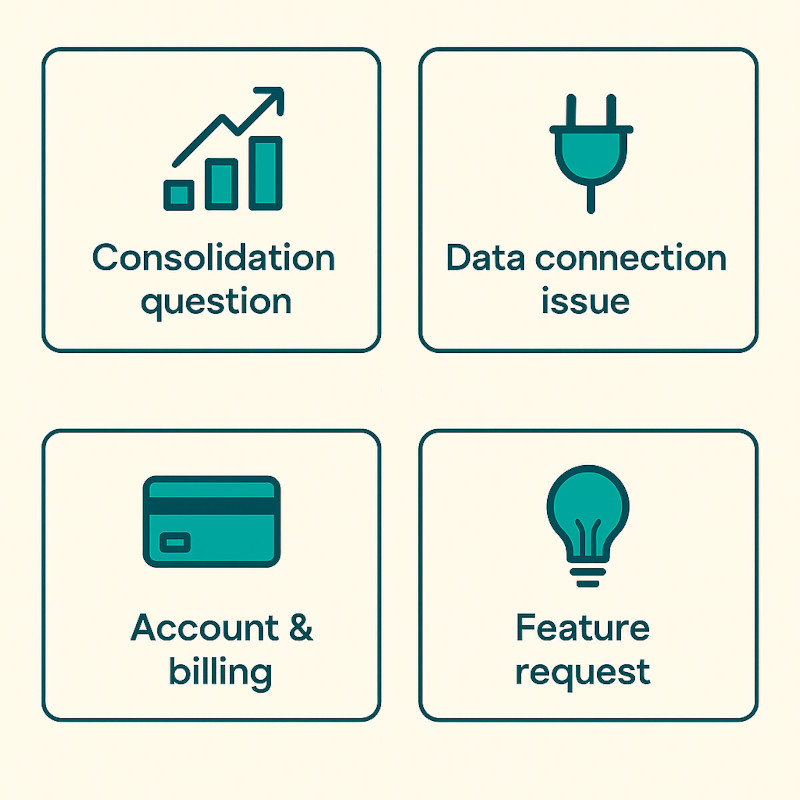
Consolidation questions
Something in your consolidation output doesn’t look right, or you need help interpreting a result.
Data connection issues
A Xero, QuickBooks, MYOB or Zoho Books connection isn’t syncing, or an entity’s data looks out of date.
Account & billing
Questions about your subscription, invoices, or user access for your team.
Feature requests
Something you’d like BrizoConsol to do that it doesn’t do yet — we read every one of these.
Why We Built This
The feedback we heard most often was simple: when something needs attention mid-close, the last thing you want to do is leave the platform, find a contact address, and start explaining your setup from scratch. Your support request should arrive with context — which account, which entities, what you were doing when the issue appeared.
The in-app integration solves that. When you raise a ticket from within BrizoConsol, our support team receives it with your account details already attached. Response times are faster because we are not spending the first exchange asking basic questions.
Already a BrizoConsol user? The support channel is live in your account now — no update required on your end. Look for the book icon in the top navigation bar, click it, then select Support Site.
If you are not yet using BrizoConsol and want to see how it handles multi-entity consolidation for groups on Xero, QuickBooks, MYOB and Zoho Books, the free trial is the fastest way to find out — and now, if you have any questions during your trial, help is one click away.