How to Produce a Consolidated Trial Balance From Multiple Xero Organisations When Each Entity Uses a Different Chart of Accounts
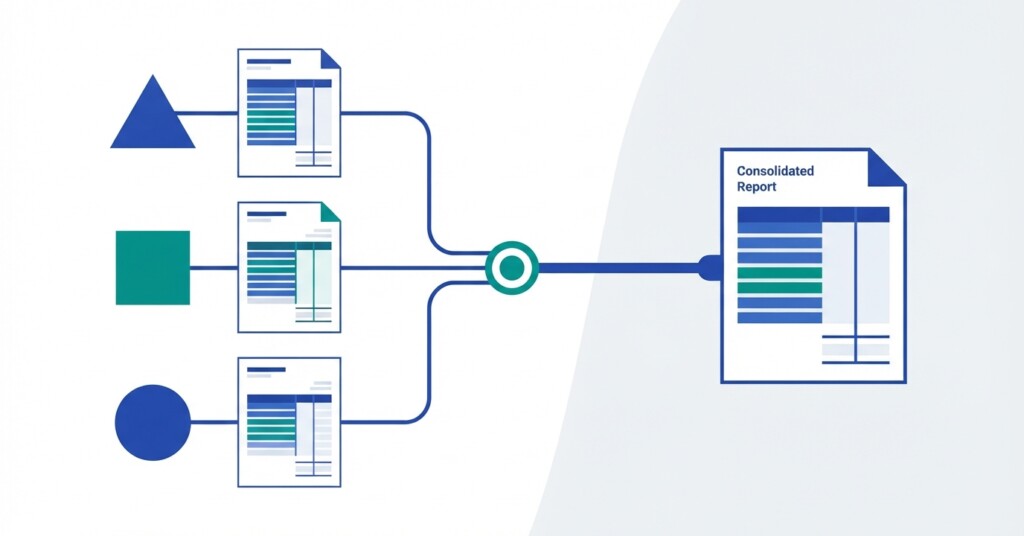
One of the most common headaches for finance teams managing a group of companies on Xero is the moment you realise that each of your entities has grown its own chart of accounts organically over time. Entity A has a revenue account called ‘Sales — Product,’ Entity B calls the equivalent ‘Product Revenue,’ and Entity C splits it across three accounts with department codes. When you need to produce a single consolidated trial balance, you are not just adding numbers together — you are first wrestling with a classification problem, then an elimination problem, then potentially a currency problem. This article walks through a practical, step-by-step approach to solving all three.
Why Different Charts of Accounts Are So Common in Multi-Entity Xero Groups
Xero makes it very easy to get a single entity up and running quickly, and most businesses start with one organisation and a default or lightly customised chart of accounts. When a second or third entity is added — whether through acquisition, a new subsidiary, or a restructure — it often gets set up independently by a different accountant, a different firm, or a different internal team. The result is structural divergence. The intercompany loan account in Entity A might be account 2150, while in Entity B it sits at 850. Entity C, acquired eighteen months ago, uses GAAP-aligned account codes inherited from its previous owners. Nobody is wrong in isolation. The problem only surfaces at month-end when someone has to produce a group view.
Step 1 — Build a Group Chart of Accounts as Your Mapping Target
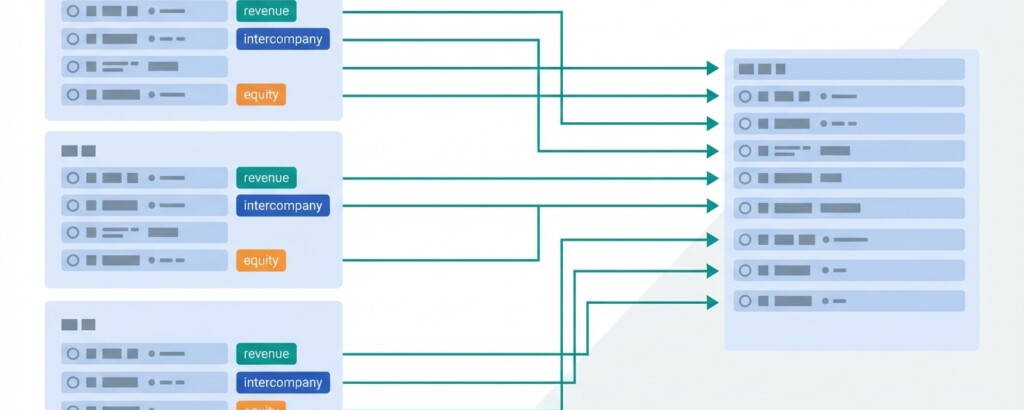
Before you can consolidate anything, you need to define what you are consolidating into. A group chart of accounts (group COA) is the canonical list of line items that will appear in your consolidated trial balance, income statement, balance sheet, and any management reports you produce at group level. It does not need to match any single entity — its job is to be the common language across all of them. Keep it at the right level of granularity: detailed enough to be useful for management reporting, but not so granular that every entity-level nuance needs its own group line. A practical group COA for an SME with three to eight entities typically runs to between 80 and 150 accounts.
Consolidate your Xero entities — automatically.
BrizoConsol pulls from all your Xero organisations and delivers group reports in minutes.
Design your group COA around the questions your board and CFO actually ask, not around the entity-level coding that was designed for VAT returns or payroll processing. Management reporting needs and statutory needs are different; your group COA should serve management reporting first.
Step 2 — Create Entity-to-Group Account Mappings
With your group COA defined, you need a mapping table that connects every account in every entity to its group equivalent. This is the unglamorous but critical work. For a group with three Xero organisations and an average of 120 accounts each, you might have 360 mapping rows to complete. Many of them will be straightforward one-to-one relationships. Some will be many-to-one (several entity accounts rolling up into a single group account). Occasionally you will have one-to-many splits, though these are rarer and add complexity you should try to avoid at the mapping stage. Build your mapping table in a structured way from the start.
| Entity | Entity Account Code | Entity Account Name | Group Account Code | Group Account Name | Notes |
|---|---|---|---|---|---|
| Entity A | 200 | Sales — Product | G-REV-01 | Product Revenue | Direct map |
| Entity B | 4000 | Product Revenue | G-REV-01 | Product Revenue | Direct map |
| Entity C | 41000 | Revenue — Widgets | G-REV-01 | Product Revenue | Part of split |
| Entity C | 41010 | Revenue — Components | G-REV-01 | Product Revenue | Part of split |
| Entity A | 2150 | Intercompany Loan — Entity B | G-IC-LN | Intercompany Loans Receivable | Elimination required |
| Entity B | 850 | Loan from Entity A | G-IC-LN | Intercompany Loans Payable | Elimination required |
Once this mapping table is in place, extracting trial balance data from each Xero organisation and translating it into group account codes becomes a mechanical process rather than a judgement call each month. This is also where automation tools earn their keep — any solution that can read Xero trial balance data via the API and apply your mapping rules removes the copy-and-paste step entirely and eliminates a whole category of formula errors.
Step 3 — Extract Trial Balance Data From Each Xero Organisation
Xero provides a trial balance report for each organisation, exportable to CSV or accessible via the Xero API. For a manual process, export the trial balance for the same period from each entity, confirm that the period-end dates match, and load them into your consolidation workbook. Watch out for a few common issues at this stage: by default, Xero reports balance sheet accounts as cumulative balances as at the report date while income statement accounts reflect year-to-date movements (requiring the Trial Balance by Date Range report if you need single-period movements); retained earnings will not appear as a separate movement line; and any adjusting journals posted after a previous consolidation will change the exported figures without any obvious flag. Discipline around your Xero period-lock settings matters more in a multi-entity context than most teams realise.
If your Xero organisations operate in different base currencies, the trial balance exported from Xero will be in each entity’s local currency. You must apply FX translation before aggregating figures — adding local-currency amounts across entities without translation produces meaningless consolidated numbers. Revenue and expense accounts are typically translated at average rate for the period; balance sheet accounts at closing rate; equity at historical rate.
Step 4 — Apply FX Translation for Foreign Currency Entities
For groups where some entities report in a currency other than the group presentation currency, FX translation is a required step before consolidation. The three rates you need are the average exchange rate for the reporting period (for income statement items), the closing rate at the period end (for balance sheet items), and historical rates for equity items such as share capital and retained earnings brought forward. The difference arising from translating a balance sheet that balanced in local currency — but no longer balances precisely after translation at mixed rates — flows to a foreign currency translation reserve (FCTR) in equity. This is expected and correct, not an error.
| Entity C (Euro) — Revenue (€420,000 × avg rate 0.86) | £361,200 |
| Entity C (Euro) — Total Assets (€1,150,000 × closing rate 0.88) | £1,012,000 |
| Entity C (Euro) — Share Capital (€200,000 × historical rate 0.82) | £164,000 |
| FX Translation Reserve (balancing figure to equity) | £14,600 |
| Share capital plus FX translation reserve subtotal | £178,600 |
Step 5 — Identify and Eliminate Intercompany Transactions
Consolidation requires you to eliminate transactions between entities within the group so that the consolidated financial statements reflect only the group’s relationship with the outside world. The most common intercompany items in an SME group context are intercompany loans, management charges or recharges, intercompany trading (where one entity sells goods or services to another), and intercompany dividends. Each of these requires an elimination journal. The starting point is an intercompany reconciliation — confirming that what Entity A records as owing to it from Entity B matches what Entity B records as owing to Entity A, before elimination. Mismatches at this stage are common and must be resolved before eliminations are posted.
| Account | Dr | Cr |
|---|---|---|
| G-IC-LN — Intercompany Loans Payable (Entity B) | 250,000 | |
| G-IC-LN — Intercompany Loans Receivable (Entity A) | 250,000 |
Elimination of intercompany loan: Entity A recorded a £250,000 receivable from Entity B; Entity B recorded the same amount as a payable to Entity A. Both are eliminated on consolidation so that the group balance sheet shows no internal loan.
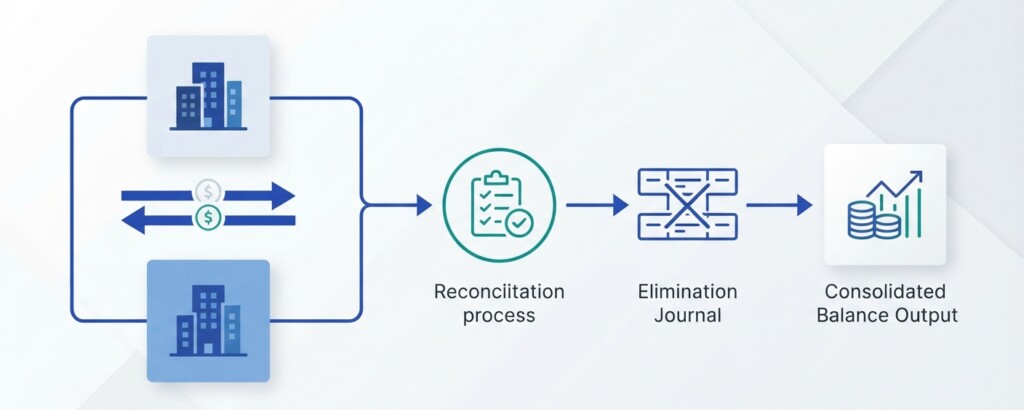
For intercompany sales, you eliminate both the revenue recorded by the selling entity and the corresponding cost of sales or expense recorded by the buying entity. If the buying entity still holds the goods in inventory at the period end, you also need to eliminate any unrealised profit in that inventory. These downstream eliminations are where many manual consolidations fall short — the loan elimination gets done, but the management fee income and expense netting, or the profit in stock, gets missed.
Step 6 — Account for Non-Controlling Interests
If your group includes a subsidiary that is not wholly owned — say, you own 75% of Entity C — then the 25% portion belonging to outside shareholders is a non-controlling interest (NCI). In the consolidated financial statements, you still consolidate 100% of Entity C’s assets, liabilities, income, and expenses (because you control it), but you then carve out the NCI share in equity and in profit or loss. The NCI equity figure sits on the balance sheet within equity, presented separately from the equity attributable to the parent. The NCI share of profit reduces the profit attributable to owners of the parent. For an SME group this is often a straightforward percentage calculation, though it becomes more complex if the subsidiary itself has accumulated losses or if there have been transactions between the NCI and the group.
Bringing It All Together: The Consolidated Trial Balance
Once you have mapped accounts to your group COA, translated any foreign currency figures, and posted all intercompany eliminations, you can aggregate the adjusted trial balances from each entity at the group account level. The result is your consolidated trial balance. From this single document, you can produce your consolidated income statement, consolidated balance sheet, and any management reports or board packs your group requires. The trial balance should balance — total debits equal total credits — and any unexplained difference at this stage indicates a mapping error, a missing elimination, or an FX translation issue that needs investigation before you publish any output.
The Case for Reducing Manual Work in This Process
Described step by step, the consolidation process sounds manageable. In practice, doing it manually in Excel each month for a group of even three or four Xero organisations is time-consuming, error-prone, and heavily dependent on the one person who built the workbook. Common failure modes include: the mapping table drifting out of date when new accounts are added to an entity, FX rates being applied inconsistently, intercompany balances being reconciled informally rather than systematically, and elimination journals being copied from the prior month without checking whether the underlying balances have changed. Each of these is a real risk that auditors and diligent CFOs notice. Automation of the data extraction, mapping, FX translation, and elimination steps reduces the month-end close cycle and the risk of errors, while making the process repeatable by any competent member of the finance team rather than a single expert. Tools designed specifically for multi-entity Xero consolidation exist to address exactly this workflow.
- Define and maintain a group chart of accounts that serves management reporting needs.
- Build and version-control an entity-to-group account mapping table for every Xero organisation.
- Extract period trial balances from each entity at the same date and with consistent period-lock discipline.
- Apply FX translation at the correct rates for income statement, balance sheet, and equity items.
- Reconcile all intercompany balances before posting eliminations — do not eliminate unreconciled positions.
- Post intercompany elimination journals at the group level covering loans, trading, management charges, and dividends.
- Calculate and present NCI for any partially owned subsidiaries.
- Aggregate to your consolidated trial balance and verify it balances before producing any output reports.
- Review the process end-to-end at least quarterly to catch chart of account changes, new intercompany relationships, or structural changes in the group.
Getting this process right the first time is an investment that pays dividends every subsequent month. A well-structured consolidation workflow — whether manual or automated — means your group reporting is faster to produce, easier to audit, and more credible with boards, lenders, and investors who rely on it to understand the health of the business as a whole.
See How BrizoConsol Handles Multi-Entity Xero Consolidation
BrizoConsol is built for SME finance teams managing multiple Xero organisations. It connects directly to your Xero data, applies your account mappings, handles FX translation, and produces a consolidated trial balance and management reports — without the monthly Excel rebuild.