Webinar: One Consolidated Report from Xero, QuickBooks, Zoho Books and Excel
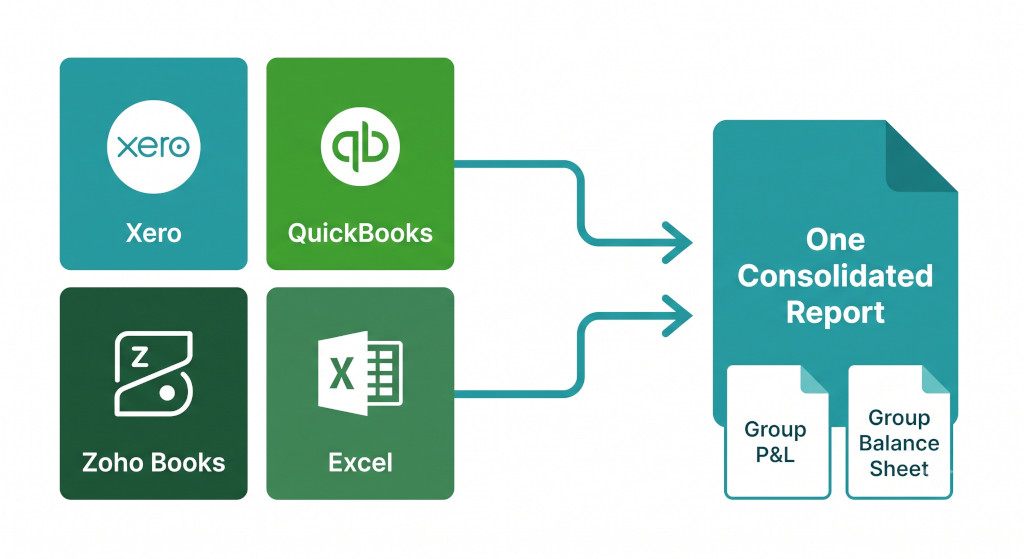
Most growing finance teams don’t run on a single accounting system. One subsidiary is on Xero. Another uses QuickBooks. A recently acquired company runs Zoho Books. And there are always one or two legacy entities that still export Excel files. Individually, each system works perfectly well. But at group level, reporting becomes fragmented — and the default fix creates new problems of its own.
In this webinar, we walk through exactly why multi-system consolidation is hard, why Excel becomes the bottleneck rather than the solution, and how to produce one consolidated group report across all four systems without rebuilding everything manually each month-end.
The Problem: No Finance Team Has a Clean System Environment
The “all subsidiaries on one system” scenario is the exception, not the rule. Acquisitions bring their accounting systems with them. Regional entities choose platforms that suit local accounting requirements. Older entities have years of history in a legacy setup that is expensive and risky to migrate. The result is a mixed environment — and the finance team inherits the job of making it produce one coherent set of group numbers.
Consolidate your Xero entities — automatically.
BrizoConsol pulls from all your Xero organisations and delivers group reports in minutes.
The standard response is to build a consolidation workbook in Excel: export trial balances from each system, reformat them into a common layout, build account mapping tables, apply currency conversions, and aggregate. It works — the first time. But over months and years, this workbook grows into something fragile, and the problems compound.
Different Data Structures
Revenue in Xero does not match Revenue in QuickBooks. Each system defines accounts, tax categories, and reporting hierarchies differently — there is no common language between them.
Manual Mapping Becomes Permanent Work
What starts as a temporary mapping exercise becomes a monthly maintenance job, dependent on one person who understands how it all fits together.
No Single Source of Truth
You end up with a Xero report, a QuickBooks report, a Zoho report, and an Excel “final version” — and none of them fully align with each other.
Currency Inconsistency
Different entities may use different exchange rate assumptions. Aligning these manually each period is error-prone and difficult to audit after the fact.
“The problem is not which system is better. The problem is that each system assumes it is the system of record — and group reporting requires something different: a layer that transforms all of them into one structure.”
The Key Insight: Standardise Data Sources, Not Excel Files
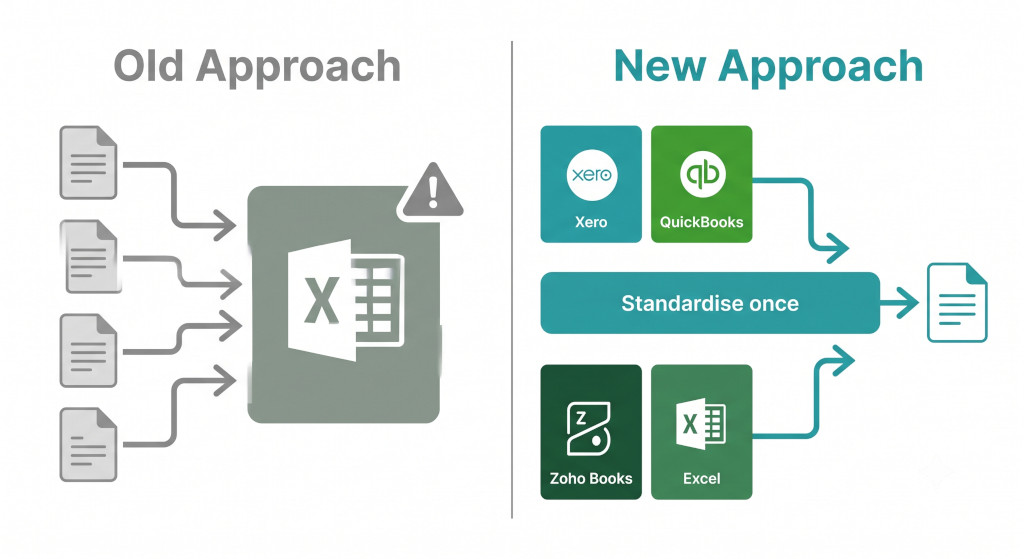
The old mindset is to treat each system’s export as raw material and then standardise it inside Excel. The new mindset is to standardise at the data source level — connect directly to each system’s API, apply mapping rules once, and let the consolidation run from there every period.
The difference is significant. When mapping is applied once at source:
- Excel becomes an optional output format, not a mandatory processing layer
- The accounting systems become inputs to consolidation, not silos that have to be reconciled by hand
- The month-end close becomes a process you run, not a process you rebuild
How It Works in Practice: Four Steps to One Report
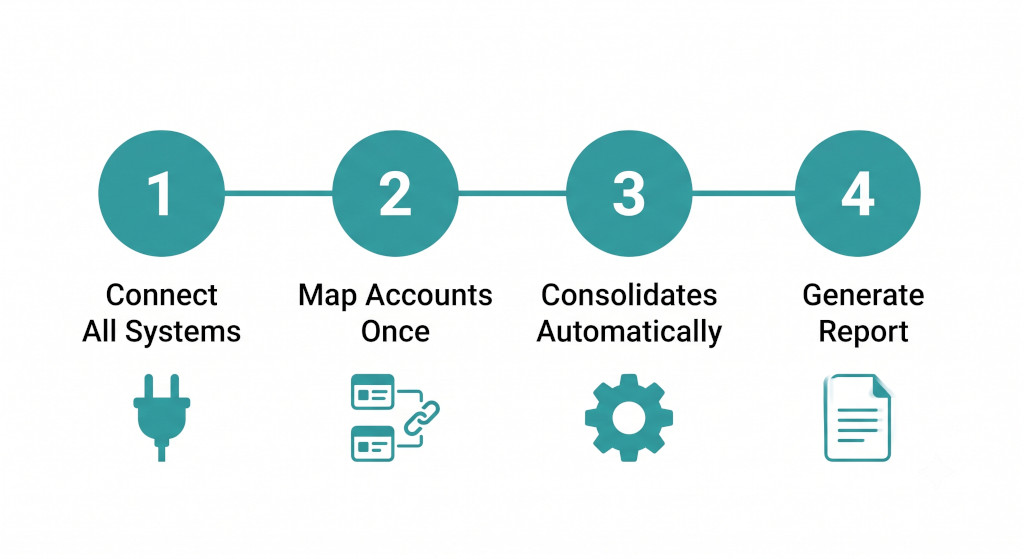
The webinar walks through a realistic group scenario — a Singapore entity on Xero, a UK entity on QuickBooks, a UAE entity on Zoho Books, and a legacy entity uploading an Excel trial balance. Using BrizoConsol, the consolidation follows four steps.
- Connect All SystemsXero, QuickBooks, and Zoho Books connect via their respective APIs. The Excel entity uploads its trial balance directly. No manual exports or reformatting required.
- Map Accounts OnceAccount mapping rules are set up once — Revenue to Revenue, COGS to COGS, operating expenses aligned across all four structures. The same rules apply automatically every period.
- Consolidation Runs AutomaticallyOnce connections and mappings are in place, the system pulls live data, normalises each entity’s structure, applies currency translation, and aggregates the results automatically — no manual trigger required.
- Generate One ReportA consolidated Group P&L and Group Balance Sheet, with entity-level drill-down and source system traceability. No re-exporting, no formula-checking, no final-version confusion.
What traditionally takes days of manual work at each month-end becomes something that happens automatically once the connections and mappings are established.
Questions Covered in the Webinar
The session closes with a Q&A covering the questions most finance teams ask when they first consider this approach. These include how account mapping works when charts of accounts differ significantly between systems, how currency translation rates are handled across entities, whether Excel can remain part of the process for legacy entities (it can — as a direct upload), and how long the initial setup typically takes.
If you are currently managing a multi-system consolidation in Excel — or if your group has grown to a point where the existing process is starting to show its limits — the full recording covers all of this in detail.
Ready to Connect Your Group’s Systems?
BrizoConsol connects directly to Xero, QuickBooks, MYOB, and Zoho Books — and accepts Excel uploads for any entity that isn’t on a supported platform. One consolidation, one report, every month.Start Free Trial