QuickBooks Multi-Currency Consolidation: How Groups with Foreign Subsidiaries Produce Accurate Group Accounts
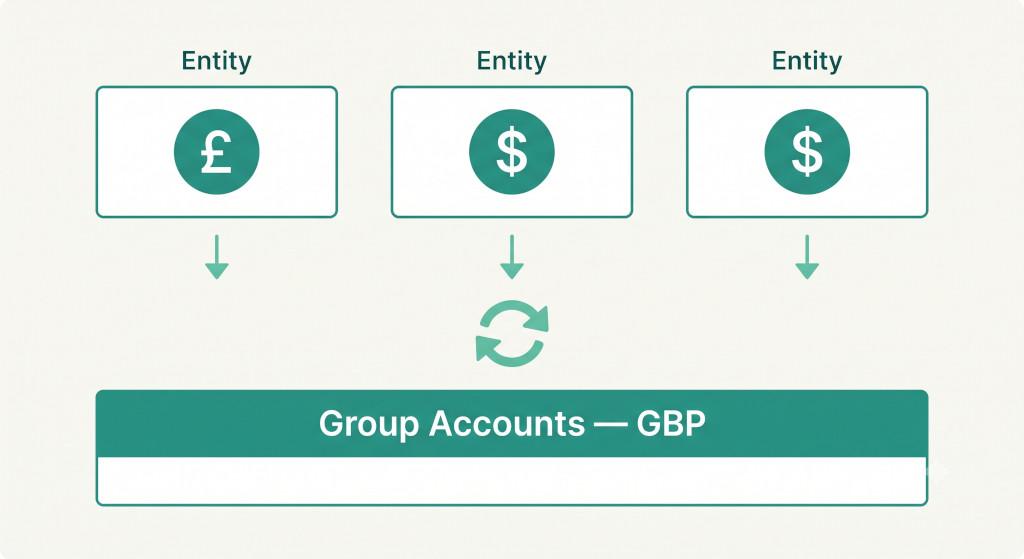
Running subsidiaries in multiple countries is one of the most reliable signs that a business is growing in the right direction. It is also the point at which the monthly close gets substantially harder. The UK parent is on QuickBooks and reports in GBP. The US subsidiary is also on QuickBooks and reports in USD. The Canadian entity was set up last year and reports in CAD. Each entity closes its books cleanly — but getting from three separate trial balances in three different currencies to a single, accurate set of consolidated group accounts is a process that QuickBooks was not designed to perform.
This guide covers what QuickBooks multi-currency consolidation actually involves: the translation rules that apply under IAS 21, where QuickBooks stops and dedicated consolidation software takes over, and a worked example that shows how a three-entity international group gets to clean group accounts every month.
What QuickBooks Handles — and Where It Stops
QuickBooks Online does support multi-currency at the entity level — individual organisations can record transactions in foreign currencies and maintain a home currency alongside. This is useful for entities that transact with overseas customers or suppliers. What it does not support is the consolidation of multiple QuickBooks organisations into a single set of group accounts.
Multi-entity QuickBooks consolidation, done for you.
Connect all your QuickBooks companies and get consolidated financials instantly.
The reason is structural: QuickBooks treats each organisation as a completely separate environment. There is no parent-level view, no cross-organisation reporting, and no mechanism to apply the currency translation rules required under IAS 21 (or equivalent standards) to a subsidiary’s full trial balance before combining it with the parent. The multi-currency features inside QuickBooks are transactional — they help an entity record a USD invoice in a GBP book. They are not consolidation tools.
Important: Simply adding foreign entity trial balances together at the current exchange rate — a common shortcut when consolidating manually — produces an incorrect result. Assets and liabilities, income and expenses, and equity each require different translation rates. Applying the wrong rate to even one balance sheet line produces a P&L figure that does not reconcile and an equity section that does not balance.
For QuickBooks groups with overseas subsidiaries, the translation must be performed outside QuickBooks, as part of a consolidation process that sits above the individual entity systems.
The Three Translation Rates Every QuickBooks Group Must Apply
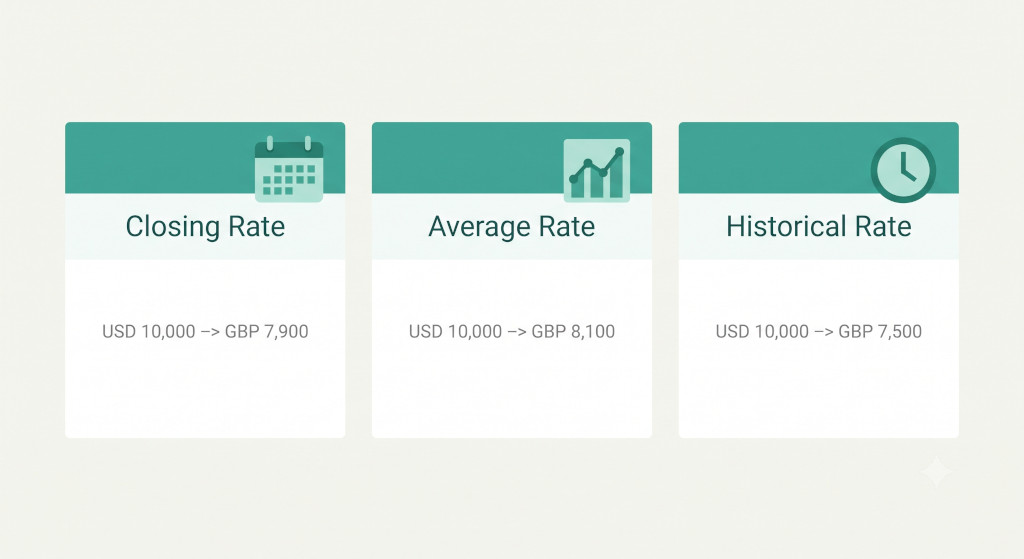
Under IAS 21 (The Effects of Changes in Foreign Exchange Rates) and its equivalents under US GAAP and UK GAAP, a foreign subsidiary’s financial statements are translated into the group presentation currency using three different rates, applied to different categories of balance. Getting this right is the foundation of any accurate multi-currency consolidation.
Closing Rate — Balance Sheet Items
All assets and liabilities on the subsidiary’s balance sheet are translated at the exchange rate ruling at the balance sheet date — the closing rate. This applies to everything from cash and trade receivables to property, plant and equipment and long-term borrowings. Using the closing rate ensures that the group balance sheet reflects the current economic value of the subsidiary’s net assets in the presentation currency.
Average Rate — Income Statement Items
Revenue, expenses, and all other income statement items are translated at the average exchange rate for the period — typically the monthly average for a monthly consolidation, or the annual average for a full-year consolidation. The average rate is used because income and expenses arise continuously throughout the period rather than at a single point in time. Where the average rate is not materially different from the actual rate at the date of specific transactions, the average is an acceptable approximation.
Historical Rate — Equity Items
Share capital and share premium are translated at the historical rate — the exchange rate prevailing on the date the capital was originally contributed. Retained earnings are the cumulative result of translating each period’s profit at the average rate for that period, carried forward. These amounts are not retranslated as exchange rates move.
Because the closing rate and the average rate are almost never identical, a difference arises between the opening and closing net asset position of the subsidiary when measured in the group currency. This difference is not a gain or loss — it reflects currency movements, not trading performance. It is posted to the currency translation adjustment (CTA) reserve in group equity and disclosed separately in the statement of other comprehensive income.
The Currency Translation Adjustment (CTA)
The cumulative translation adjustment is the balancing figure that arises whenever a foreign subsidiary is translated using multiple rates. It accumulates in equity over time and represents the total currency movement on the group’s investment in its overseas entities since they were acquired or established.
In the consolidated balance sheet, the CTA appears as a component of other comprehensive income within equity — separate from retained earnings, because it has not been realised through a transaction with a third party. When a subsidiary is eventually sold or wound up, the accumulated CTA for that entity is recycled through the consolidated income statement as part of the disposal gain or loss.
Calculating the CTA correctly requires tracking, for each foreign subsidiary, the opening net assets translated at the opening rate, the period’s profit and loss translated at the average rate, and any other equity movements at their respective historical rates. The CTA is the difference needed to make the translated equity section balance. This is a calculation that is tedious to perform manually and highly susceptible to compounding errors across periods.
A Worked Example: AtlasGroup’s QuickBooks Multi-Currency Consolidation
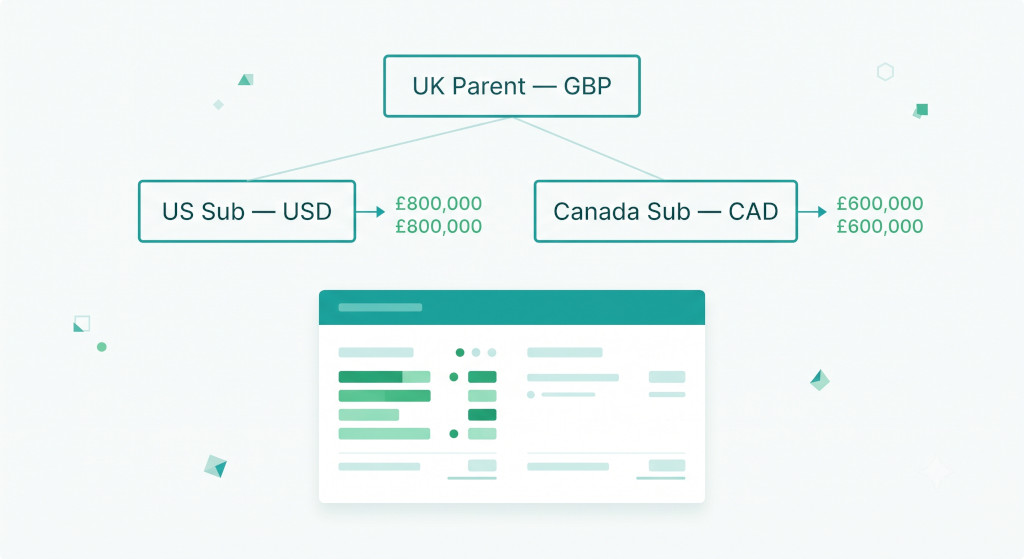
AtlasGroup is a UK-based services business with a GBP-reporting parent (AtlasGroup UK Ltd), a USD-reporting US subsidiary (AtlasGroup Inc), and a CAD-reporting Canadian subsidiary (AtlasGroup Canada Inc). All three entities use QuickBooks Online. The group presents its consolidated accounts in GBP.
For the month of June, the relevant exchange rates are as follows: USD/GBP closing rate 0.79, USD/GBP average rate 0.78; CAD/GBP closing rate 0.57, CAD/GBP average rate 0.56.
| AtlasGroup Inc (USD) | USD | Rate | GBP |
|---|---|---|---|
| Balance Sheet — translated at closing rate (0.79) | |||
| Trade receivables | 320,000 | 0.79 | 252,800 |
| Cash and equivalents | 185,000 | 0.79 | 146,150 |
| Total assets (simplified) | 640,000 | 0.79 | 505,600 |
| Trade payables | (210,000) | 0.79 | (165,900) |
| Income Statement — translated at average rate (0.78) | |||
| Revenue | 480,000 | 0.78 | 374,400 |
| Operating expenses | (310,000) | 0.78 | (241,800) |
| Net profit (translated) | 170,000 | 0.78 | 132,600 |
The same translation process is applied to AtlasGroup Canada Inc using the CAD/GBP rates. The translated trial balances for both subsidiaries are then combined with the UK parent’s GBP figures, intercompany balances are eliminated, and the CTA for each subsidiary is calculated and posted to equity. The result is a consolidated P&L, balance sheet, and CTA movement note — all in GBP.
Performing this manually for two subsidiaries with monthly rate changes is workable, just about. For a group with four or five overseas entities, each with their own rate history and CTA roll-forward, the manual process becomes genuinely unreliable.
What Gets Complicated — and Why Manual Processes Fail
Several specific points in the multi-currency consolidation process tend to break down when done manually in a spreadsheet.
Rate consistency
Using a slightly different average rate in the translation workbook versus the rate applied in the management accounts commentary creates unexplained variances in the consolidated P&L. In a multi-entity group, rates must be entered once and applied uniformly across all entities and all reporting lines for that period.
CTA roll-forward errors
The CTA balance compounds over time. An error in the calculation for one period carries forward into every subsequent period until it is identified and corrected. Because the CTA is a residual balance — the number required to make equity balance — errors in it can be masked for months before they become large enough to notice.
Intercompany balances in foreign currency
When the UK parent has lent money to the US subsidiary, the intercompany loan exists in both GBP (in the parent’s books) and USD (in the subsidiary’s books). At the closing rate, these two figures will rarely translate to the same GBP amount. The translation difference on the intercompany balance must be eliminated correctly — simply netting the two GBP equivalents produces an incorrect result.
Acquisitions mid-period
If a subsidiary is acquired part-way through a period, its income statement is only consolidated from the acquisition date. The average rate applied to that subsidiary’s P&L must reflect the period from acquisition to period end, not the full period average. Managing this in a spreadsheet requires careful documentation and manual adjustment every time a new entity joins the group.
How Consolidation Software Handles QuickBooks Multi-Currency
Purpose-built consolidation software removes the manual steps from every stage of the multi-currency process. Rates are entered once per period and applied automatically across all entities. The closing rate is applied to all balance sheet lines; the average rate is applied to all income statement lines; historical rates are applied to equity items based on their transaction date. The CTA is calculated and posted automatically as the balancing figure in equity, with a full period-by-period roll-forward maintained and available for audit.
Intercompany balances denominated in foreign currencies are eliminated at the rate used to translate the monetary asset or liability in the reporting entity’s accounts, with any exchange difference on elimination correctly classified in the CTA or in the income statement depending on the nature of the balance.
For QuickBooks groups that have been managing multi-currency consolidation in a spreadsheet, the transition to a dedicated platform typically produces three immediate benefits: the close time drops significantly, the CTA balance can be reconciled and explained for the first time in months or years, and the finance team gains confidence that the translated figures are correct before they go to the board.
Automate Your QuickBooks Multi-Currency Consolidation
BrizoConsol connects directly to QuickBooks, applies the correct translation rates automatically, and produces clean consolidated group accounts — including full CTA tracking — without manual spreadsheet work. Start Free Trial