AASB Accounting Standard Now Supported in BrizoConsol
For Australian group finance teams, the mismatch has been a persistent irritant. The software asks you to pick your accounting standard. You know your group reports under AASB — the Australian Accounting Standards Board’s suite of standards, which mirrors IFRS but carries its own Australian-specific legislative footing. So you select IFRS, because that is the closest available option. The reports come out labelled with IFRS line item names. Your auditors flag it. Your board pack says IFRS on a document that should say AASB. You update the labels manually each time.
It is a small thing, but consolidation is a discipline where precision in presentation matters as much as precision in the numbers. A Consolidated Statement of Financial Position prepared under AASB is not an IFRS statement — even if the underlying mechanics are closely aligned. The standard name appears on the face of the financial statements, in the notes, and in the directors’ report. Getting it wrong is not just a cosmetic problem; it is a compliance issue.
BrizoConsol now supports AASB as a native, first-class accounting standard. Australian groups can select AASB directly in their reporting preferences, tag their Chart of Accounts to AASB classifications, and generate fully structured consolidated financial statements — all under the correct standard name, without manual adjustment.
Stop building consolidations in spreadsheets.
BrizoConsol automates multi-entity consolidation — setup in minutes, reports the same day.
What AASB Support Means in Practice
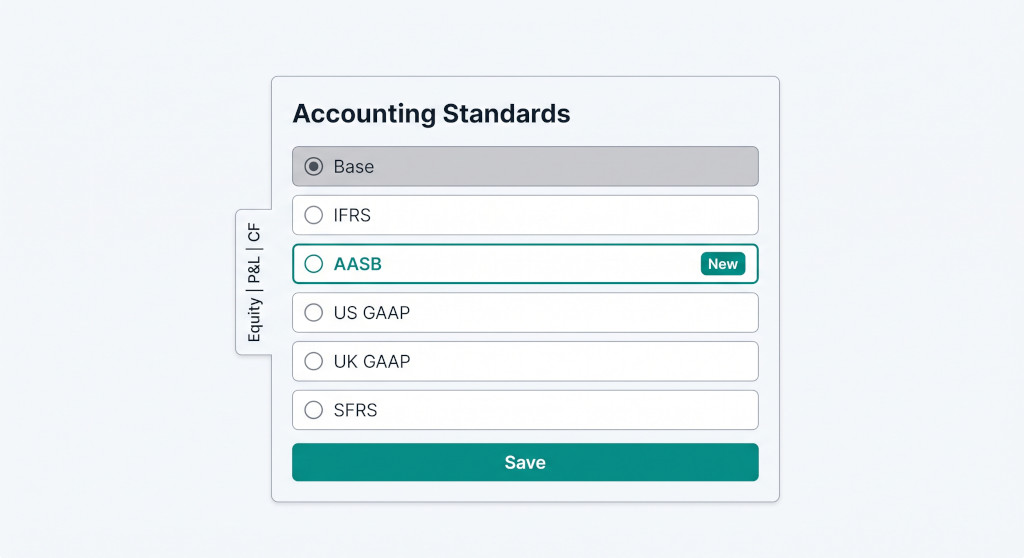
AASB sits alongside IFRS, US GAAP, UK GAAP, SFRS, and Local GAAP in BrizoConsol’s accounting standards registry. From the platform’s perspective, AASB is a fully independent standard — it has its own tag column on the Chart of Accounts (aasb_tag), its own set of pre-built system report templates, and its own label throughout every screen and report that surfaces the standard name.
The structural logic behind AASB closely parallels IFRS — both use the same financial statement architecture (statement of financial position, statement of profit or loss and OCI, statement of changes in equity, cashflow statement). This is by design: AASB standards are the Australian transposition of IFRS, adapted by the AASB to operate within Australian law. The difference in BrizoConsol is that AASB is now a distinct selection, not a workaround. When you enable AASB, your reports carry the AASB label. Your COA tags are stored separately from any IFRS tags. If you run a dual-standard group — for example, an Australian holding entity that consolidates both Australian and UK subsidiaries — you can configure both AASB and UK GAAP at the same time, and each produces its own correctly labelled output.
AASB is not a sub-setting of IFRS in BrizoConsol. It is a separate standard with its own Chart of Accounts tags, its own five consolidated statement templates, and its own label across the platform. Enabling AASB does not affect your IFRS configuration.
Enabling AASB: The Accounting Standards Settings Page
AASB is activated from the Accounting Standards page under Organisation Settings. The workflow is the same as enabling any other standard in BrizoConsol.
Navigate to Settings → Accounting Standards for your organisation. You will see a list of selectable standards: IFRS, AASB, US GAAP, UK GAAP, SFRS, and Local GAAP. Select AASB. BrizoConsol allows one active non-base standard per organisation (alongside the Base/local standard that is always enabled). If you were previously running IFRS, switching to AASB will update your standard selection accordingly. Save the configuration.
Before switching from IFRS to AASB: IFRS tags and AASB tags are stored in separate columns on your Chart of Accounts. Switching standards does not erase your IFRS tags — they are preserved in the
ifrs_tagcolumn. However, your active reports and eliminations will reference the AASB tags going forward, so you will need to complete the COA tagging step below before your reports will generate correctly under AASB.
Tagging Your Chart of Accounts to AASB
Once AASB is enabled, the Accounting Standards page displays three classification tabs: Equity, P&L, and CF (cashflow). These tabs cover every account class that requires an AASB classification tag for consolidation reporting.
Each tab lists the relevant accounts in your Chart of Accounts and allows you to assign the appropriate AASB classification. The tag options are the same structural classifications used across all IFRS-aligned standards in BrizoConsol — equity type, P&L category, and cashflow activity — because the AASB statement architecture maps directly to those classifications.
For most Australian groups migrating from an IFRS configuration, the tagging work is minimal: the classifications are functionally identical. The practical difference is that the aasb_tag column is now populated separately, giving you a clean AASB-specific mapping that does not rely on your IFRS tags.
Work through each tab systematically:
- Equity tab: Assign equity classifications to share capital, retained earnings, NCI, reserves, and CTA accounts.
- P&L tab: Classify income and expense accounts to the appropriate P&L line items (revenue, cost of sales, operating expenses, finance costs, tax).
- CF tab: Tag accounts to operating, investing, or financing cashflow activities.
Save after each tab. BrizoConsol validates the assignments before saving and will flag any accounts that are missing required classifications for report generation.
The Five Pre-Built AASB Consolidated Statement Templates
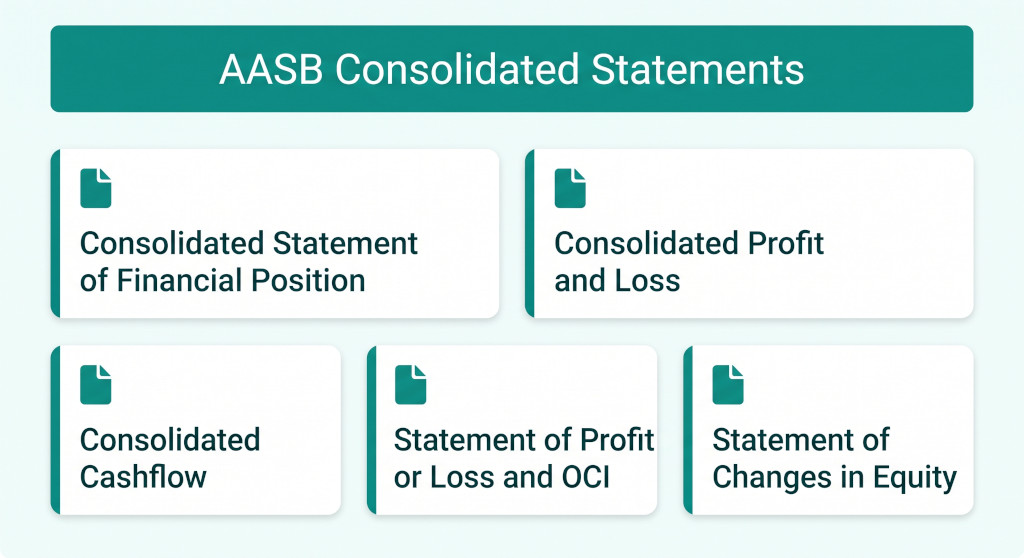
Once your COA tags are complete, BrizoConsol has five AASB-specific consolidated statement templates ready to use. These are pre-seeded system reports that load automatically when AASB is enabled:
| Report Template | AASB Standard Reference | What It Shows |
|---|---|---|
| Consolidated Statement of Financial Position | AASB 101 | Group assets, liabilities, and equity at period end, eliminating intercompany balances |
| Consolidated Profit and Loss | AASB 101 | Group revenue and expenses for the period, eliminating intercompany transactions |
| Consolidated Statement of Profit or Loss and OCI | AASB 101 | P&L plus other comprehensive income items (CTA, revaluation, etc.) |
| Consolidated Statement of Changes in Equity | AASB 101 | Movement in equity components including NCI for the period |
| Consolidated Cashflow Statement | AASB 107 | Group operating, investing, and financing cashflows with intercompany eliminations |
These templates appear in the Report module under the AASB standard once tagging is complete. Each report is driven by the AASB COA tags you assigned in the previous step. The report structure, line item labels, and subtotals all follow AASB presentation requirements as transposed from IFRS — including the presentation of NCI within equity (not as a liability) as required under AASB 127.
Running an Australian group consolidation?
BrizoConsol now handles AASB natively. Set up your group in minutes and generate compliant consolidated statements. See It In Action
A Worked Example: What Changes When You Switch to AASB
Consider a three-entity Australian group: a holding company and two operating subsidiaries, all incorporated in Australia and reporting under AASB. The group previously had IFRS selected in BrizoConsol because AASB was not available. Here is how the switch affects the consolidation output.
Before: IFRS selected, AASB not available
The group’s consolidated Statement of Financial Position was generated using IFRS tags. The report header read “Consolidated Statement of Financial Position — Prepared in accordance with IFRS.” The finance team had to manually edit the PDF export each reporting period to correct the standard reference to AASB. The IFRS tag assignments were also shared — there was no way to maintain a separate AASB mapping if the group later needed to produce IFRS-compliant comparatives for a capital raise.
After: AASB selected as the active standard
The group enables AASB in Accounting Standards settings. They complete the three COA tagging tabs (Equity, P&L, CF) — largely copying their IFRS assignments since the classification structure is the same. The five AASB report templates become available immediately.
| Total group entities in the consolidation | 3 |
| COA accounts requiring AASB tags (Equity + P&L + CF) | ~85 |
| Estimated time to complete tagging (migrating from IFRS) | ~30 min |
| AASB consolidated statement templates available immediately after | 5 |
| Manual PDF corrections required per reporting period going forward | 0 |
The resulting consolidated Statement of Financial Position now carries the correct AASB header and line item labels throughout. The IFRS tag assignments on the COA remain intact in the ifrs_tag column — if the group later needs to produce an IFRS-compliant pack for a foreign investor, they can switch standards temporarily without losing their AASB configuration.
Dual-Standard Groups
BrizoConsol’s architecture allows one non-base standard to be active at a time per organisation. For groups that genuinely need to produce statements under two different frameworks — for example, an Australian holding entity that must also file IFRS-compliant consolidated accounts for a foreign parent — the recommended approach is to maintain two separate reporting organisations in BrizoConsol: one configured for AASB and one for IFRS. Each organisation holds its own COA tag assignments and generates its own set of consolidated reports from the same underlying trial balance data.
This approach keeps the two standard configurations entirely separate, avoids any risk of tag contamination between standards, and means both sets of statements can be generated independently with their correct standard references.
Practical Checklist: Setting Up AASB in BrizoConsol
- Go to Settings → Accounting Standards for your organisation.
- Select AASB from the list of available standards.
- Click Save to activate AASB as your reporting standard.
- Open the Equity tab and assign AASB classifications to all equity-class accounts (share capital, retained earnings, NCI, CTA, reserves).
- Open the P&L tab and assign AASB classifications to all income and expense accounts.
- Open the CF tab and assign cashflow activity classifications (operating / investing / financing) to relevant accounts.
- Save after each tab.
- Navigate to the Report module and confirm the five AASB consolidated statement templates are visible.
- Run a report for your most recent closed period and verify that line items populate correctly from your COA tags.
- Review the report headers to confirm the AASB standard reference appears correctly on the face of each statement.
If you are migrating from IFRS, your existing IFRS tag assignments remain untouched. Tagging under AASB writes to a separate column and does not overwrite your IFRS configuration.
Ready to consolidate under AASB?
Start a free trial and have your Australian group consolidated statements running in BrizoConsol today. Start Free Trial