Guided Tours & Contextual Help Are Now Built Into BrizoConsol
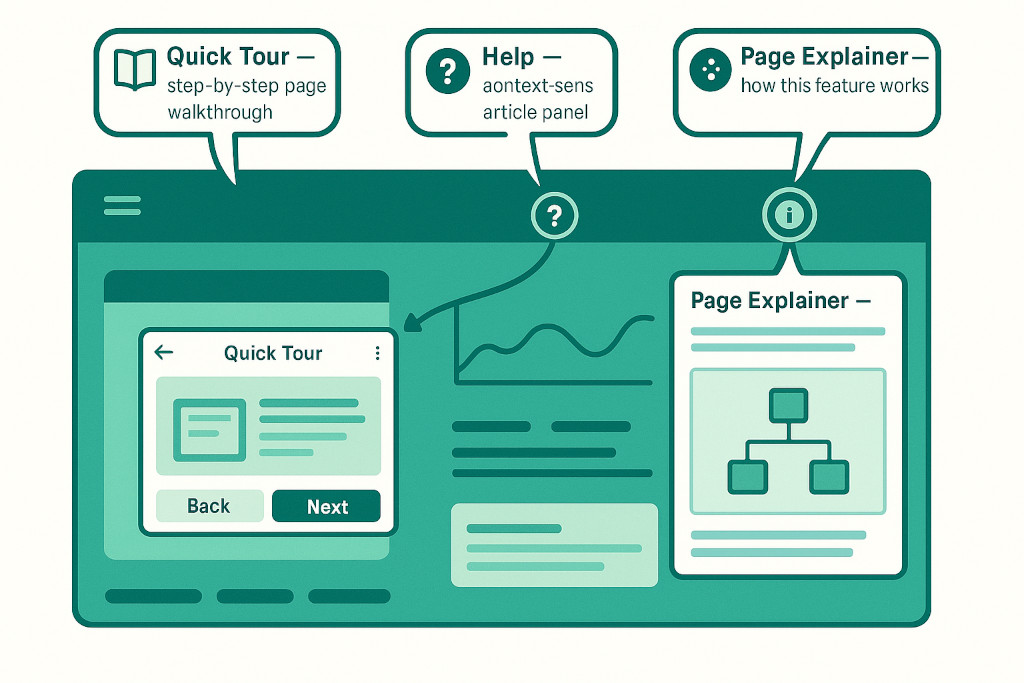
Learning a new platform is faster when the answers are already on the page you are looking at. BrizoConsol now has three built-in learning tools — a Quick Tour, a context-sensitive Help panel, and page-level concept explainers — all accessible without opening a new tab, searching a knowledge base, or waiting for a reply.
Whether you are onboarding for the first time or returning to a feature you have not used in a while, you can get oriented in the platform itself, right where you need it.
Three Ways to Get Help Inside BrizoConsol
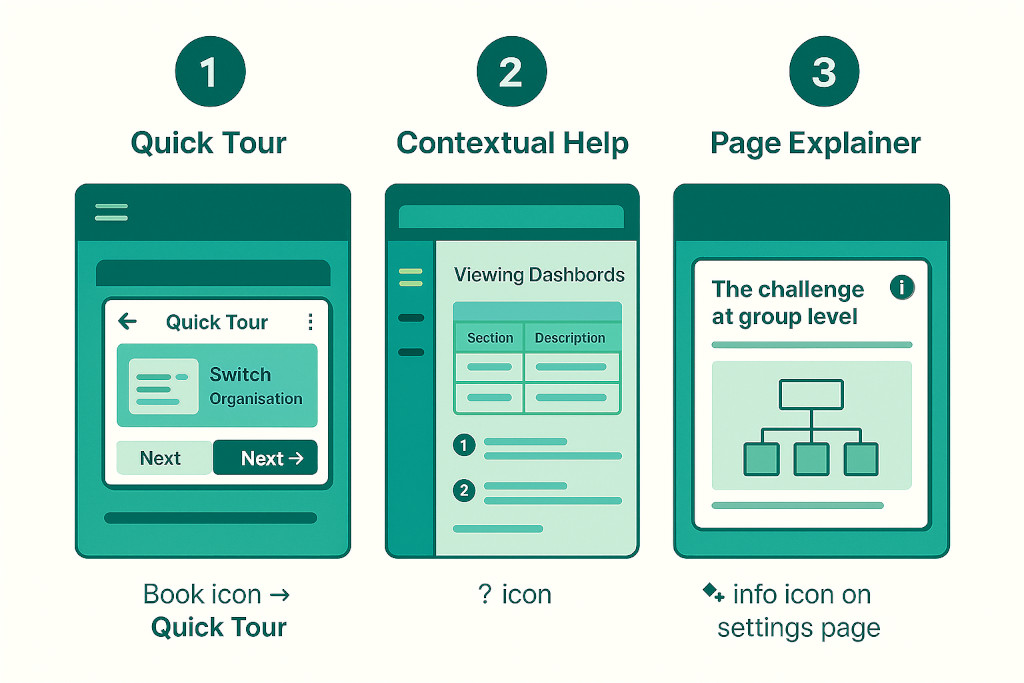
Quick Tour. A step-by-step walkthrough launches for the page you are currently on — covering the key controls, what each section does, and how to get the most out of it. Each tour runs to wherever you need to pause: step through at your own pace, or close it and come back later.
Stop building consolidations in spreadsheets.
BrizoConsol automates multi-entity consolidation — setup in minutes, reports the same day.
Context-Sensitive Help Panel
Click the question mark icon in the top navigation and a Help panel slides in on the left side of the screen. The article it shows is specific to the page you are on — viewing the dashboard opens “Viewing Dashboards”, opening the report builder surfaces report-specific guidance, and so on. Each article includes numbered steps, tables, and links to related topics, so you can read what you need without losing your place in the platform.
Page-Level Concept Explainers
On more complex configuration pages — Organisation Hierarchy, Accounting Standards, and others — a small tour icon appears at the top of the page. Clicking it launches a short concept explainer tailored to that feature. For example, the Accounting Standards page opens a four-step tour explaining how one set of consolidated numbers can support IFRS, US GAAP, UK GAAP and Local GAAP simultaneously. The Organisation Hierarchy page opens a five-step walkthrough explaining why a Common Chart of Accounts is needed and how BrizoConsol maps each entity’s accounts to it.
Why This Matters for Multi-Entity Teams
Consolidation platforms involve concepts that are genuinely non-trivial — chart-of-accounts mapping, intercompany eliminations, currency translation, accounting standards. Even experienced finance teams can find themselves unsure how a specific setting works or what a particular toggle does in the context of a group consolidation.
The in-app tours and Help panel mean those questions get answered in context, at the moment they arise, by guidance that is specific to what is on screen rather than a generic FAQ. For teams doing their first group consolidation in BrizoConsol, the Quick Tour on each key page is the fastest way to understand the workflow. For teams returning to a feature after a period away, the Help panel covers the specifics without requiring a support ticket.
Already a BrizoConsol user? All three tools are live in your account now. Look for the book icon and question mark icon in the top navigation bar, and watch for the tour icon on settings and configuration pages.
If you run into something the in-app help does not cover, the book icon also gives you direct access to the full Documentation site and the Support Site to raise a ticket with the team — so every route to an answer is one click away from wherever you are working.