Standalone Entity Reports and Accounting Standard Naming Are Now Live in BrizoConsol
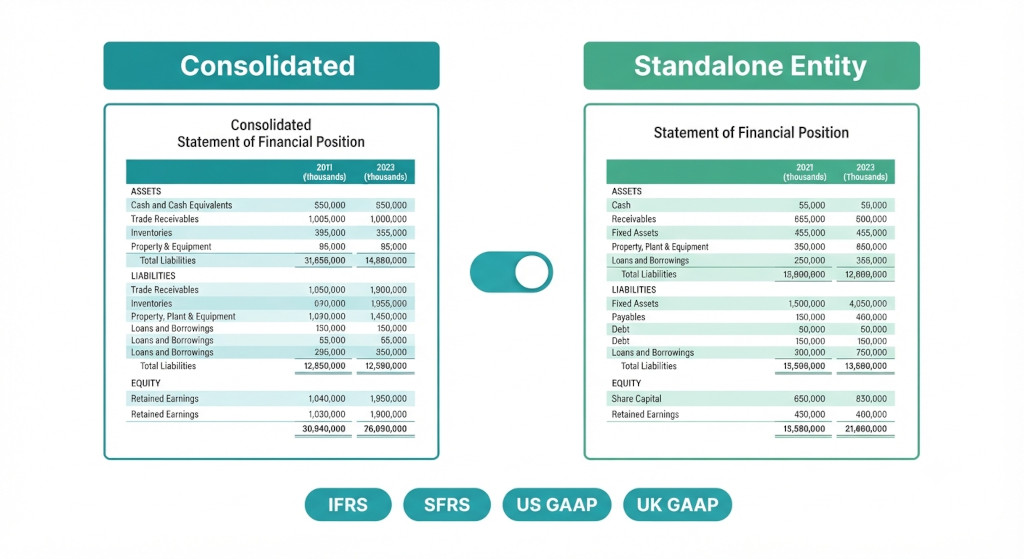
Two improvements to BrizoConsol’s Reports module are now live. First, every financial statement — Balance Sheet, P&L, Comprehensive Income, Changes in Equity, and Cash Flow — can now be generated at the standalone entity level, not only at the consolidated group level. Second, every report is now named correctly for your accounting standard: IFRS, SFRS, US GAAP, or UK GAAP (FRS 102), automatically, with no manual renaming required.
Both changes were requested by finance teams who use BrizoConsol not only for group consolidation but also for producing presentation-ready accounts for individual subsidiaries — whether for local statutory filings, subsidiary audits, lender reporting, or entity-level board packs. Until now, those teams had to export the group report and adjust it manually. That workaround is no longer necessary.
Entity-Level Reports: What Changes and Why It Matters
Previously, BrizoConsol’s built-in financial statements — the core reports module — produced output at the consolidated group level. The trial balances from every connected entity were pulled in, eliminations were applied, and the result was a set of group accounts. Individual entity data was accessible for drill-down and analysis, but a clean standalone set of financial statements for a single entity required manual work outside the platform.
Stop building consolidations in spreadsheets.
BrizoConsol automates multi-entity consolidation — setup in minutes, reports the same day.
The updated reports module adds an entity-level view alongside the consolidated view. Once selected, the report pulls only that entity’s trial balance data — no eliminations, no currency translation aggregation across the group — and presents it as a standalone set of accounts using the correct statement structure and naming for your chosen accounting standard.
This is useful in several common scenarios:
- Subsidiary statutory accounts. Many jurisdictions require each entity in a group to file its own annual accounts with the local companies register. Finance teams can now produce a presentation-ready standalone set of accounts directly from BrizoConsol, without rebuilding the figures in a separate spreadsheet.
- Subsidiary audits. External auditors reviewing an individual entity need that entity’s accounts in isolation. Generating a standalone Balance Sheet and P&L for each entity being audited is now a one-click operation.
- Entity-level board or lender reporting. Some lenders require financial covenants to be tested at the entity level rather than the group level. Directors of subsidiaries may also want their own entity’s accounts presented separately in a board pack, alongside the consolidated group view.
- Interim management accounts per entity. Groups that prepare monthly management accounts for each operating entity — in addition to the consolidated group pack — can now produce both sets of accounts from a single platform.
Standalone entity reports in BrizoConsol use the same connected data source as the consolidated reports — there is no re-entry of figures. Switch the view, select the entity, and the report builds from the same synced trial balance data.
Accounting Standard Naming: The Full Reference
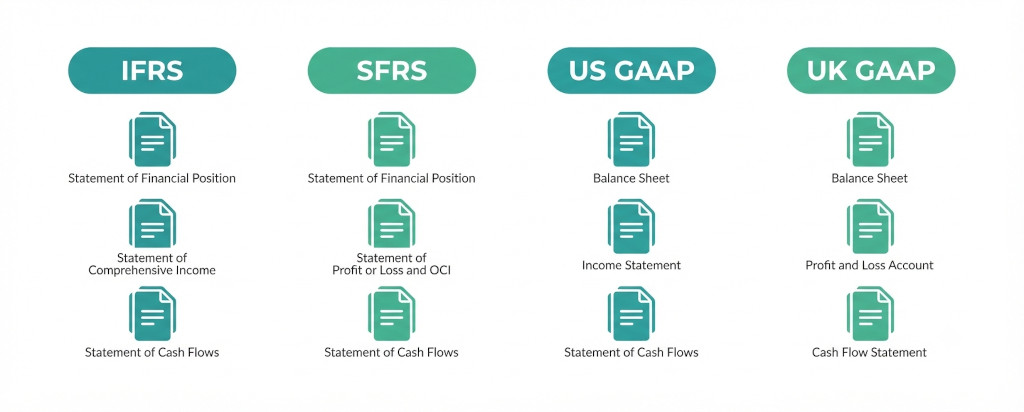
The second change addresses a detail that matters significantly when accounts are presented to auditors, lenders, or regulators: the name of each financial statement. A balance sheet under IFRS is correctly titled “Statement of Financial Position”. The same document under US GAAP is a “Balance Sheet”. Under UK GAAP (FRS 102), it is also a “Balance Sheet” — but the P&L is a “Profit and Loss Account”, not a “Statement of Operations” as it is under US GAAP.
BrizoConsol now applies the correct statement name automatically based on the accounting standard configured for your group and, where relevant, for individual entities within the group. The full reference across all five core statements and both consolidated and standalone views is below.
| Statement | Level | IFRS | SFRS | US GAAP | UK GAAP (FRS 102) |
|---|---|---|---|---|---|
| Balance Sheet | Consolidated | Consolidated Statement of Financial Position | Consolidated Statement of Financial Position | Consolidated Balance Sheets | Consolidated Balance Sheet |
| Standalone | Statement of Financial Position | Statement of Financial Position | Balance Sheet | Balance Sheet | |
| Profit or Loss | Consolidated | Consolidated Statement of Profit or Loss | Consolidated Statement of Profit or Loss | Consolidated Statements of Operations | Consolidated Profit and Loss Account |
| Standalone | Statement of Profit or Loss | Statement of Profit or Loss | Statement of Operations | Profit and Loss Account | |
| Profit or Loss and OCI | Consolidated | Consolidated Statement of Profit or Loss and Other Comprehensive Income | Consolidated Statement of Profit or Loss and Other Comprehensive Income | Consolidated Statements of Comprehensive Income | Consolidated Statement of Comprehensive Income |
| Standalone | Statement of Profit or Loss and Other Comprehensive Income | Statement of Profit or Loss and Other Comprehensive Income | Statement of Comprehensive Income | Statement of Comprehensive Income | |
| Changes in Equity | Consolidated | Consolidated Statement of Changes in Equity | Consolidated Statement of Changes in Equity | Consolidated Statements of Changes in Stockholders’ Equity | Consolidated Statement of Changes in Equity |
| Standalone | Statement of Changes in Equity | Statement of Changes in Equity | Statement of Changes in Stockholders’ Equity | Statement of Changes in Equity | |
| Cash Flow | Consolidated | Consolidated Statement of Cash Flows | Consolidated Statement of Cash Flows | Consolidated Statements of Cash Flows | Consolidated Cash Flow Statement |
| Standalone | Statement of Cash Flows | Statement of Cash Flows | Statement of Cash Flows | Cash Flow Statement |
These names are applied across all report outputs — including Insight Packages sent to stakeholders — so the accounts your auditors, lenders, and directors receive will carry the correct statement titles without any post-export editing.
How to Access Standalone Entity Reports
Entity-level reports are available in the Reports section of BrizoConsol for all users. To generate a standalone report:
- Navigate to Reports from the left-hand menu.
- Select the report type — Balance Sheet, P&L, Comprehensive Income, Changes in Equity, or Cash Flow.
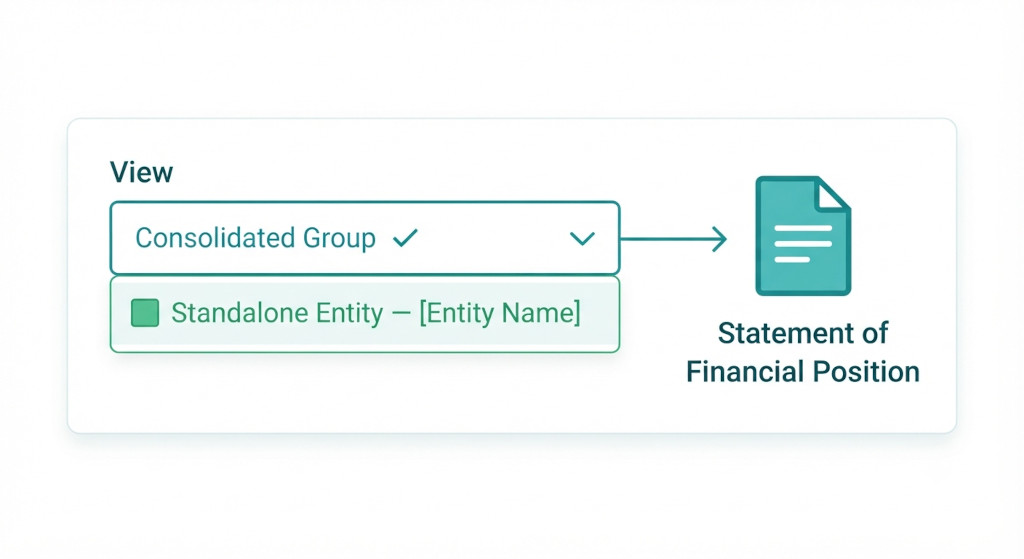
- In the View selector at the top of the report, switch from Consolidated Group to Standalone Entity.
- Choose the entity from the dropdown. The report will rebuild immediately using that entity’s synced data.
- The accounting standard name in the report header updates automatically based on the standard configured for your group.
To include standalone entity reports in an Insight Package — for example, to deliver a subsidiary P&L automatically to the entity’s local directors each month — select the entity view when building the package, and it will be delivered alongside the consolidated group pack on your scheduled cadence.
If you have questions about configuring the accounting standard setting for your group or for individual entities, the in-app help and support ticket system are available directly from the platform.
Group Accounts and Entity Accounts. One Platform.
BrizoConsol connects to Xero, QuickBooks, MYOB and Zoho Books — producing consolidated group accounts and standalone entity statements, correctly named for your accounting standard, every month.Start Free Trial