How Accounting Firms Should Choose a Group Consolidation Solution: A Buyer’s Guide for Practice Leaders
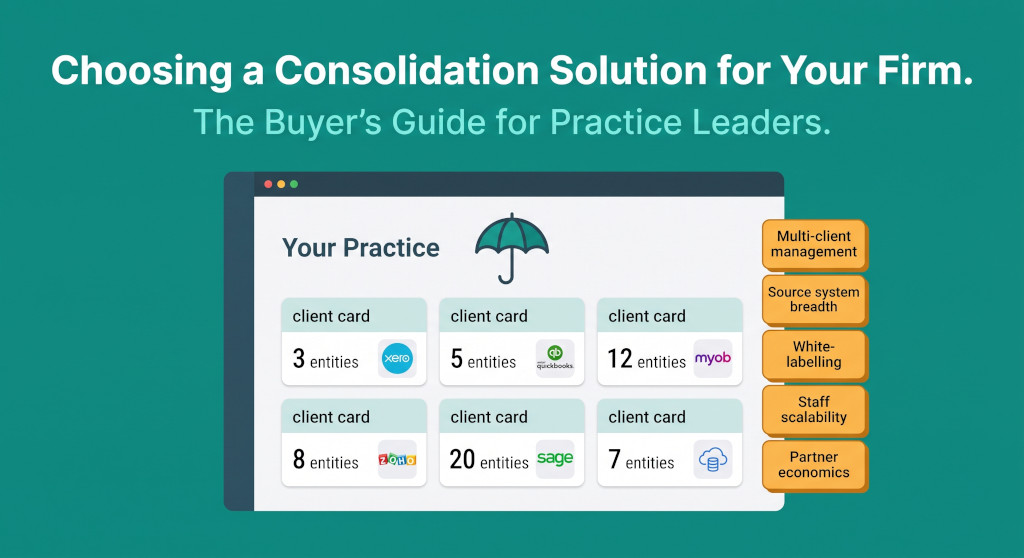
When an accounting firm evaluates group consolidation software, the process looks almost nothing like the evaluation a group finance director runs when choosing a tool for their own group. The group FD is solving one problem: consolidating their entities, their source systems, their reporting pack. A practice leader is solving a fundamentally different problem: building a delivery model that works efficiently across ten, twenty, or fifty client groups — each with different entity counts, different source accounting systems, and potentially different reporting frameworks.
The questions are different. The economics are different. The failure modes are different. A tool that works brilliantly for a single large group might be completely unsuitable for a practice managing a portfolio of smaller clients — because it was never designed with multi-client management, setup efficiency, or partner economics in mind.
This guide is written for practice leaders at accounting firms — partners, practice managers, and senior managers — who are in the process of evaluating or standardising on a group consolidation solution for their firm.
Stop building consolidations in spreadsheets.
BrizoConsol automates multi-entity consolidation — setup in minutes, reports the same day.
Already have specific source systems in mind? See the platform-specific guides for Xero, QuickBooks, MYOB, and Zoho Books. This guide covers the firm-level evaluation that comes before you get to platform specifics.
The Three Delivery Models — and Why Only One Scales
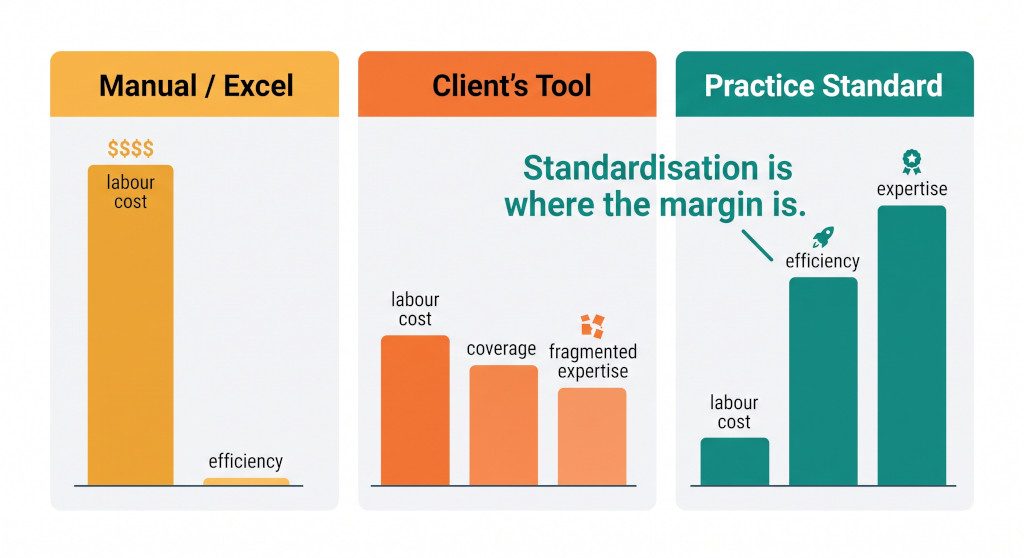
Most firms sit in one of three places when it comes to group consolidation delivery, and understanding where your firm currently sits is the starting point for any software evaluation.
| Delivery Model | How it works | Labour cost | Scalability | Quality risk |
|---|---|---|---|---|
| Manual / Excel | Senior accountant builds and maintains bespoke spreadsheets per client | High — senior staff time on mechanical work | Poor — each engagement is one-off | High — formula errors, version control, no audit trail |
| Client’s tool | Firm learns whatever software each client already uses | Medium — spread across tools, shallow expertise in each | Limited — no internal knowledge transfer | Medium — dependent on client’s tool configuration |
| Practice standard | Firm standardises on one (or two) platforms, trains staff, builds a repeatable delivery model | Low — juniors can run consolidations once set up | High — capacity scales with staff count, not specialist count | Low — consistent methodology, clear review points |
The economics of the third model are fundamentally different from the first two. When a practice standardises on a consolidation platform, the setup work for each new client becomes a process rather than a project. Staff can be trained once and deployed across multiple clients. Review partners can trust the output because the methodology is consistent. The margin per engagement rises, and capacity is no longer bottlenecked by the number of senior staff who know how to run a group consolidation from scratch.
The software evaluation is therefore not just about features — it is about which tool best supports the delivery model the firm is trying to build.
The Five Criteria That Matter to Practice Leaders
Multi-Client Management
Can your staff manage all client consolidations from a single login, or do they need separate accounts for each client? Can a practice manager see the status of all active consolidations at a glance? The tool should be designed for a portfolio, not a single group.
Source System Breadth
Your clients will be on Xero, QuickBooks, MYOB, Zoho, Sage, and sometimes a mix within a single group. A tool that connects only to Xero means you cannot serve Sage clients. Evaluate which connections exist, how automated they are, and what happens for systems the tool doesn’t natively support.
White-Labelling and Co-Branding
Many firms want their reports, dashboards, and client-facing outputs to carry the firm’s brand — not the vendor’s. Some tools offer full white-labelling; others do not. If brand presentation matters in your client relationships, confirm the white-labelling capability before shortlisting.
Staff Scalability
Once a consolidation is set up, can a junior accountant run the monthly or annual close? Or does each engagement require a specialist? Tools where the knowledge lives in the platform (mapped accounts, automated eliminations, documented adjustments) are fundamentally more scalable than tools where the knowledge lives in the head of one person.
Partner Programme and Pricing Structure
Vendors offer different partner economics: reseller programmes, per-entity pricing, per-client fees, platform fees, or referral arrangements. The pricing model determines whether you can price consolidation profitably as a service. Test the maths at your anticipated client volume before committing.
Setup Speed per New Client
How long does it take to onboard a new client to the platform? A tool where each new client requires 20 hours of setup work will not support a high-volume practice. Look for templating, saved chart-of-accounts mappings, and reusable intercompany configurations that reduce per-client setup time as your client base grows.
The Standardisation Question
The most consequential strategic decision a firm makes in this space is not which tool to choose — it is whether to standardise on a single tool across the client portfolio, or to take a best-of-breed approach where the choice varies by client.
Arguments for standardising on one platform
- Staff training once, deployed across all clients
- Deeper platform expertise — partners know the tool’s outputs are reliable
- Faster onboarding as templates accumulate
- Cleaner review process — same workpaper format every time
- Volume discounts and better partner economics
- Internal knowledge transfer when staff move between client teams
Arguments against rigid standardisation
- No single tool connects to every source system perfectly
- Larger, more complex groups may need enterprise features your standard tool lacks
- Client may already be invested in a different platform
- Single-vendor risk if the tool is acquired or changes pricing
The practical answer for most mid-sized firms is a primary standard (one tool that handles 80% of the client base) with a clear policy for exceptions — typically larger or more complex groups that justify a different solution. The goal is not rigid uniformity; it is operational leverage. Every client on the standard tool is a client where your staff can work interchangeably, templates are reusable, and delivery can be delegated without rebuilding the methodology from scratch.
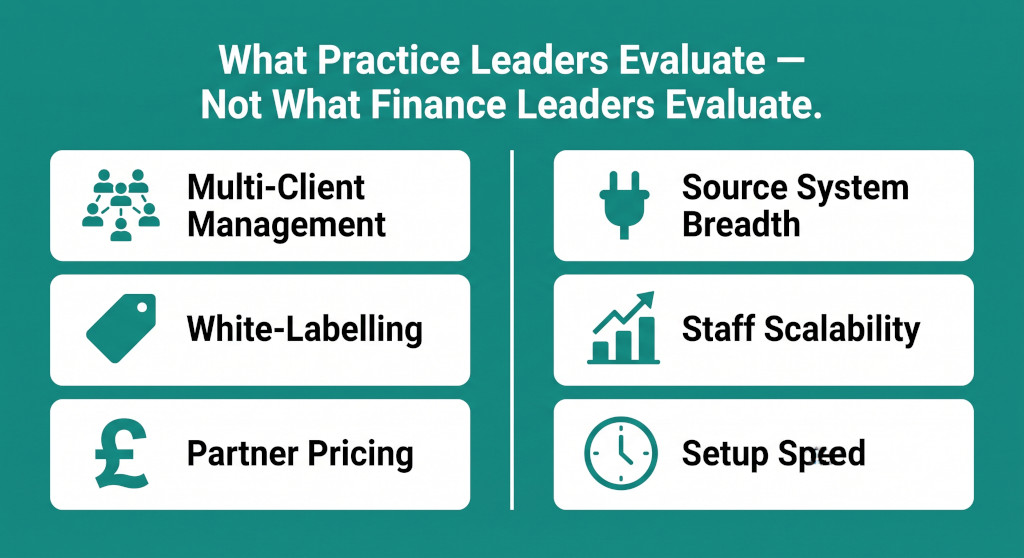
What the Finance-Leader Buyer’s Guide Misses
Most consolidation software evaluations are written for the finance leader — the group FC, CFO, or financial controller who needs to consolidate their own group. The buyer’s guide for finance leaders covers what they need: intercompany eliminations, minority interest calculations, IFRS vs UK GAAP treatment, FX translation, and report production.
But when a practice leader evaluates the same tool, they need to ask different questions — because they are not consolidating one group; they are building a practice that can consolidate hundreds of different groups efficiently. Several criteria that matter to finance leaders barely matter to practice leaders, and vice versa:
| Evaluation Area | Finance Leader (own group) | Practice Leader (client portfolio) |
|---|---|---|
| Primary question | Can it handle my group’s complexity? | Can it handle all my clients efficiently? |
| Multi-client management | Irrelevant — only one group | Critical — central portfolio view, client switching |
| Source system breadth | Moderate — just their own systems | Critical — Xero, QBO, MYOB, Zoho, Sage all needed |
| White-labelling | Irrelevant — internal tool | Important — client-facing outputs carry firm brand |
| Setup speed per group | Low priority — set up once | High priority — every new client is a setup event |
| Staff delegatability | Moderate — internal team | Critical — junior staff must be able to run the close |
| Partner / reseller programme | Irrelevant | Important — affects pricing and margin per client |
| Complexity ceiling (entities, jurisdictions) | Critical — must handle this group | Moderate — most SME clients are 2–10 entities |
Questions to Ask Vendors
When you reach the vendor demonstration stage, the standard demo will show you the consolidation mechanics — eliminations, minority interest, P&L attribution. Those matter, but they are table stakes. The questions that differentiate tools for practice use are the ones vendors do not always volunteer answers to:
- 1 How does multi-client management work in practice? Can all clients be accessed from a single firm login? Is there a portfolio view? Can we control which staff see which clients?
- 2 Which source systems do you connect to, and what does the mapping process look like? Ask for a live demonstration of pulling data from two different source systems — Xero and QuickBooks, for example. Understand whether the connection is automated or requires manual data export and upload.
- 3 What does onboarding a new client typically take in hours? Get a real number — not a best-case scenario. Ask what the time breaks down into (source connection, chart-of-accounts mapping, intercompany configuration). Ask whether mappings from previous clients can be reused as a template.
- 4 Can a junior accountant run the monthly or annual close once the client is set up? Ask the vendor to walk you through what a typical close cycle looks like for a staff member who did not do the initial setup. The answer will tell you a lot about how much knowledge lives in the platform vs. in people’s heads.
- 5 What is your partner or reseller programme? Understand the commercial structure: do you pay per client, per entity, per seat, or a platform fee? Is there a volume discount? Is there a referral or reseller arrangement? What does the programme look like at 10, 20, and 50 clients?
- 6 What white-labelling or co-branding options exist? Ask to see what client-facing reports and outputs look like with the firm’s branding applied. Confirm whether this is included in the standard partnership or an additional cost.
- 7 How do you handle clients on IFRS vs FRS 102? If your practice has clients across both frameworks, confirm the tool handles both without requiring separate workarounds for each.
- 8 What training do you offer for our staff, and how is it structured? Ask whether training is one-off or ongoing, self-serve or instructor-led, and whether it covers both the technical consolidation concepts and the platform mechanics.
Red Flags in the Evaluation Process
Several common patterns in vendor demonstrations should prompt deeper scrutiny before a firm commits to a platform:
- The demo uses a single pre-configured client. If the vendor’s demonstration always shows the same fictional group, ask to see a fresh client being set up live — or at least ask how long the demo client took to configure. A polished demo of a pre-built client tells you nothing about setup speed.
- Multi-client management is handled by giving staff multiple logins. This is not portfolio management; it is a workaround. In a high-volume practice, staff switching between separate logins for each client, with no central visibility, creates operational overhead and increases the chance of work being done in the wrong client environment.
- The vendor cannot name the source systems they integrate with precisely. “We integrate with all major accounting software” is not an answer. You need to know the specific integrations, whether they are automated or manual, and how often the data connection breaks and needs to be re-authenticated.
- White-labelling is an enterprise tier feature. If firm branding requires purchasing the most expensive tier, the economics may not work at the client volumes a mid-sized practice is running. Confirm pricing across tiers before the conversation goes further.
- The vendor has no accountant partner programme. A vendor whose primary sales motion is direct to the end client — rather than through accounting firm partners — is likely to be in tension with your firm’s role in the client relationship. Understand who owns the client relationship and who the vendor’s primary loyalties are to.
The Build-Up: From First Client to Service Line
Most firms do not build a consolidation service line all at once. The typical path looks like this:
- One client, one specialist. The firm has a single complex client that triggers the first consolidation engagement. A senior manager handles it, usually in Excel.
- Pattern recognition. A second or third client with similar needs arrives. The senior manager realises they are rebuilding the same spreadsheet. The business case for a platform becomes obvious.
- Tool selection. The practice evaluates options, typically driven by the senior manager who has been doing the work. The evaluation is often narrow — focused on the immediate client’s needs rather than the portfolio requirements.
- First platform client. The tool is deployed for the original client (or a new one). The firm discovers the gaps between what was promised in the demo and what the tool does in practice.
- Process formalisation. If the tool is capable, the firm begins to document the delivery methodology — standard workpapers, review checklists, onboarding templates. The service line starts to take shape.
- Delegation. Once the process is documented and the tool is proven, delivery can move from the senior manager to a junior team. This is where the economics shift: the service line becomes profitable because the labour cost drops.
The most expensive failure in this path is choosing a tool in step 3 that cannot support step 6. A tool that requires specialist-level knowledge to operate every engagement will never enable delegation — and without delegation, the service line’s economics will always be constrained by senior staff capacity.
For the operational mechanics of how consolidated accounts are actually prepared for multi-entity clients, see the accountant’s guide to group reporting. For context on what SME clients typically need from a consolidation solution, see financial consolidation for professional services groups. For a comparison of how accountant-led consolidation differs from the in-house Excel approach, see why accounting firms are making the switch from Excel.
Evaluation Checklist: 10 Questions Before You Shortlist
- Have we confirmed the tool connects to all source systems our active clients use — not just the ones we expect?
- Have we tested multi-client management ourselves, not just accepted a vendor description of it?
- Do we know the real setup time for a new client — not the vendor’s best-case estimate?
- Have we timed a junior staff member running a client’s monthly close without the person who did the setup in the room?
- Do we understand the pricing model at 10 clients and at 50 clients?
- Have we confirmed white-labelling is available at the pricing tier we would actually use?
- Have we spoken to another accounting firm (not a direct-to-business client) who has been using the platform for more than 12 months?
- Do we understand who owns the client relationship if the client eventually wants to access the platform directly — us, or the vendor?
- Have we confirmed the tool handles both IFRS and FRS 102 clients, if our portfolio spans both?
- Have we modelled the economics — what we can charge per consolidation engagement, what it will cost to deliver, and whether there is margin at the pricing our clients will accept?
Built for accounting practices, not just their clients
BrizoConsol’s partner programme gives accounting firms multi-client management, cross-source-system connectivity, and white-labelled reporting — with pricing designed around the economics of practice delivery. See how it works for a firm like yours. See It in Action Start Free